
finance
Subscription Reality: See What You're Actually Spending
Most people guess they spend about $86 a month on subscriptions. The real number is closer to $219. This app shows you exactly where that gap lives.
Artem
Founder
· 5 min read
You probably know you have a lot of subscriptions. Streaming, cloud storage, gym, news, that meditation app you opened twice. What you probably don't know is the total. Studies consistently find that people underestimate their recurring spend by more than half, paying around $219 a month while guessing closer to $86. That gap isn't a character flaw, it's a visibility problem. When each charge is small and arrives on a different date, the whole picture never comes together.
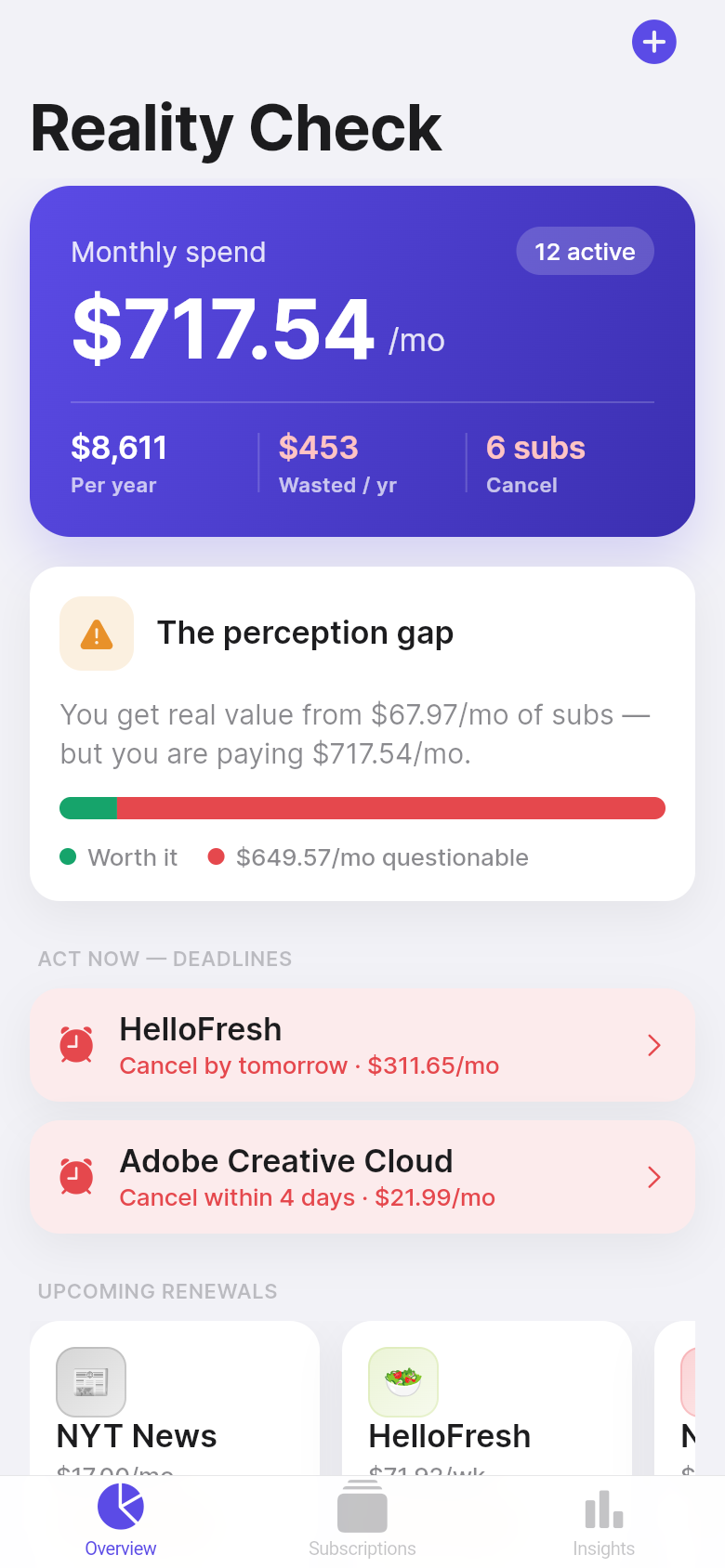
Subscription Reality is a simple tool built to close that gap. No bank connection required, no account to create. You enter your subscriptions, tell it roughly how often you use each one, and it does the math: monthly total, yearly total, cost per use, upcoming renewals, and a plain verdict on what to keep, watch, or cancel. The live demo below is the real app, running in your browser. Try adding a few of yours and see what the number actually is.
Live demo
The number that surprises almost everyone
There's a reason subscription businesses love monthly pricing. $12.99 feels like nothing. $14.99, fine. $9.99, easy. But twelve of those, staggered across the month, add up to something that would feel very different if you wrote a single check for it. Subscription Reality puts that check in front of you, immediately, as you add each service.
The dashboard shows your monthly total in large type at the top. Below it, the annualized number. For most people who've been carrying subscriptions for a few years, that yearly figure is the real shock, not because the math is complicated but because no one has ever shown it to them in one place before. Try the embedded app: add your top five subscriptions and watch the counter move. The goal isn't to make you feel bad. It's to make the number real so you can decide what to do with it.
Cost per use: the question that actually answers 'is this worth it?'
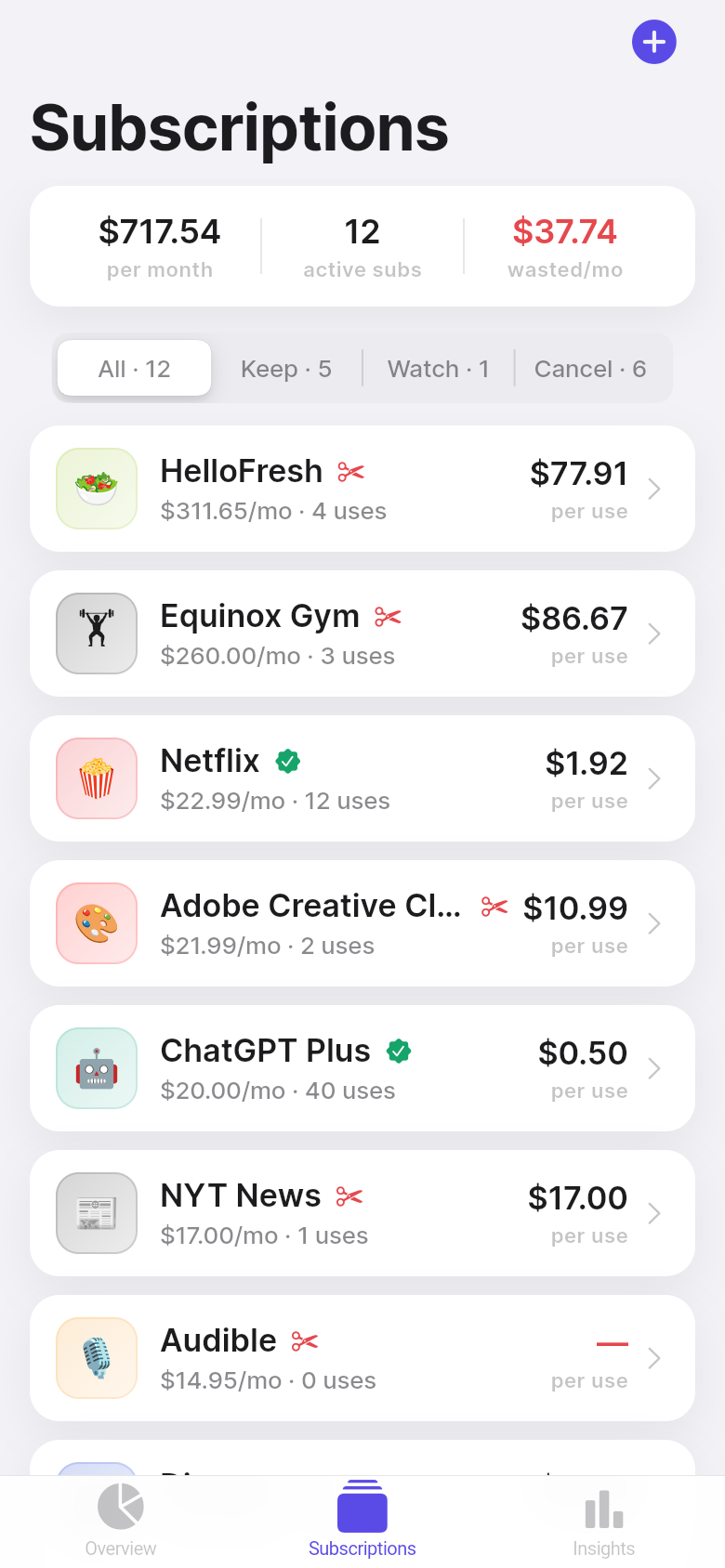
Price alone doesn't tell you much. A $15 streaming service you watch four nights a week is a bargain. A $10 fitness app you opened twice this month is expensive no matter how you frame it. Subscription Reality calculates cost per use for each subscription, which turns a vague sense of guilt into something you can actually act on.
When you add a subscription, you log roughly how many times a week or month you use it. The app divides the monthly cost by that number and shows you the result alongside each service. A $30 gym membership used twice a week works out to about $3.75 a session, competitive with most options. That same membership used twice a month is $15 a visit, which is its own kind of clarity. The app flags subscriptions where the cost-per-use crosses into territory worth reconsidering, which surfaces the cuts that will actually save money rather than just the ones that feel cheapest.
Renewals and deadlines: the part most trackers skip
The most expensive subscription mistake isn't paying for something you don't use. It's paying for another full year of something you meant to cancel, because the annual renewal hit before you got around to it. Subscription Reality tracks renewal dates and, for services with cancellation windows, surfaces the deadline by which you need to act.
The upcoming renewals view shows what's due in the next 30 days, ordered by date. Services flagged as 'watch' or 'cancel' get highlighted when their window is approaching. It's a small thing, but it's the kind of prompt that converts a vague intention into an actual cancellation before the charge posts. If you've ever had the experience of meaning to cancel something and then seeing the annual charge anyway, this is the feature that prevents that.
Keep, watch, or cancel: a verdict you can act on
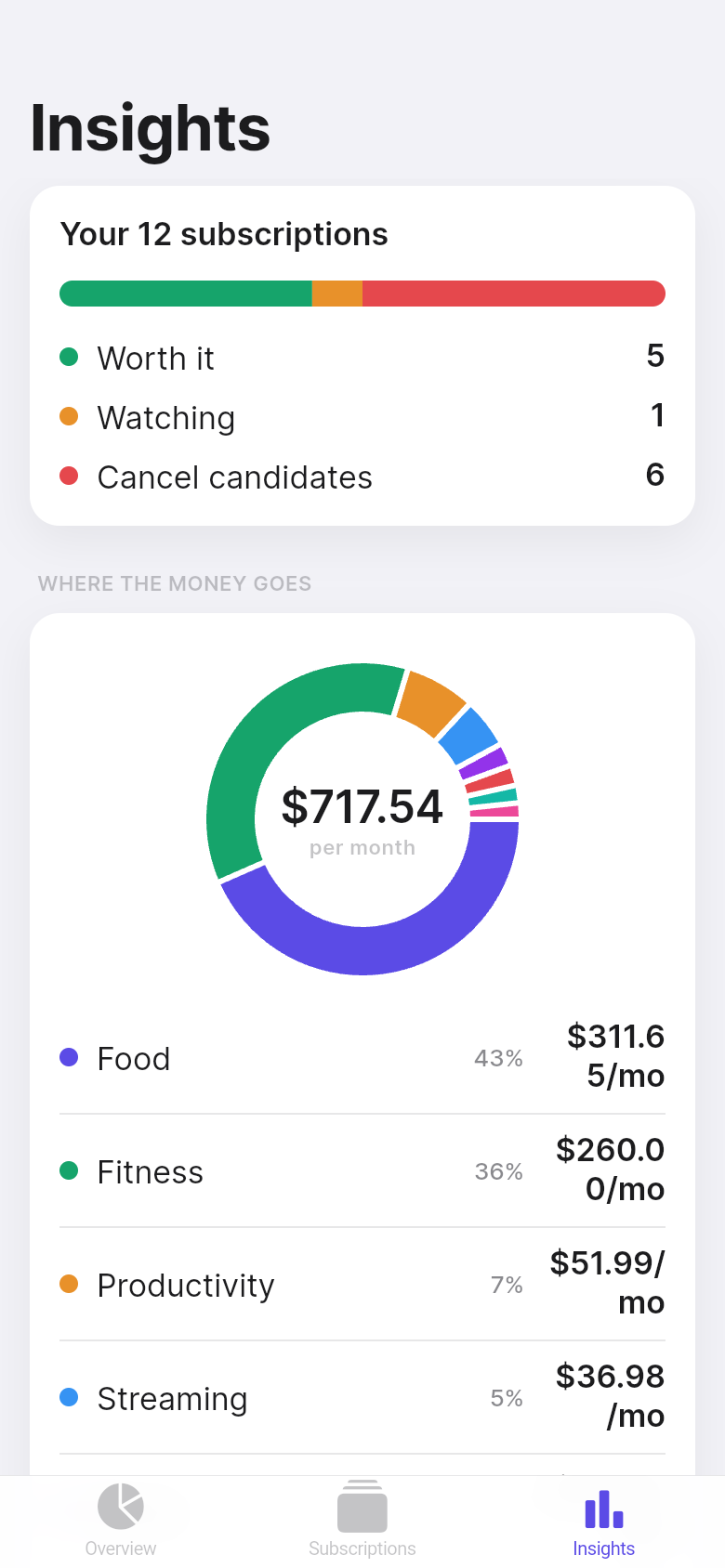
Lists of subscriptions are useful. Lists with verdicts are useful in a different way. For each service, Subscription Reality assigns one of three labels based on your usage data: Keep means the cost-per-use is reasonable and you're getting value. Watch means usage is low enough that it's worth paying attention to, especially near renewal. Cancel means the numbers suggest you're paying for something you've largely stopped using.
The app also surfaces a total potential savings number, the combined monthly cost of everything currently marked cancel or watch. For some people this is $20. For others it's $80 or more. Either way it's concrete, and concrete is what makes it possible to actually do something. Scroll through the verdict list in the demo, and if any of your real subscriptions land in the cancel column, the decision is already made for you.
No bank link, no account, no catch
A lot of the best financial tools ask you to connect your bank account to get started. For many people that's a reasonable trade. For many others it isn't, whether for privacy reasons, because their bank isn't supported, or simply because they'd rather keep financial data on their own terms. Subscription Reality is entirely manual and entirely local. You enter what you want to enter, and nothing leaves the app.
Manual entry is also, in this case, the point. The act of typing in each subscription, its price, its renewal date, and your honest estimate of how often you use it is itself the exercise. Most people have never done that accounting deliberately. The few minutes it takes to build your list is where the awareness actually comes from, and the app is designed to make that process fast enough that you'll finish it in one sitting rather than leaving it half-done.
39
files in the build
40.2 MB
app bundle
Flutter Web
runs in any browser
Have an idea for a tool of your own?
Subscription Reality started as a one-line description of a problem. Leanfinit turned it into a working app. If you have a problem you want to solve, for yourself or for others, you can do the same thing.