
productivity
Babusia's Boxes: Never Lose Grandma's Heart Pills in the Move
A simple packing app built for one hard situation: moving an elderly parent out of a family home on a tight deadline, with no room for lost medication.
Artem
Founder
· 5 min read
You're standing in your grandmother's kitchen at 8am, marker in hand, taping up box number 34. The renovation crew arrives Thursday. Fourteen rooms, sixty years of accumulated life, and somewhere in those boxes are her heart pills, her sewing tin, her icons, and the documents she'll need at the new flat. Your phone has one bar of signal. A scrap of paper with a list is already lost under a pile of bubble wrap.
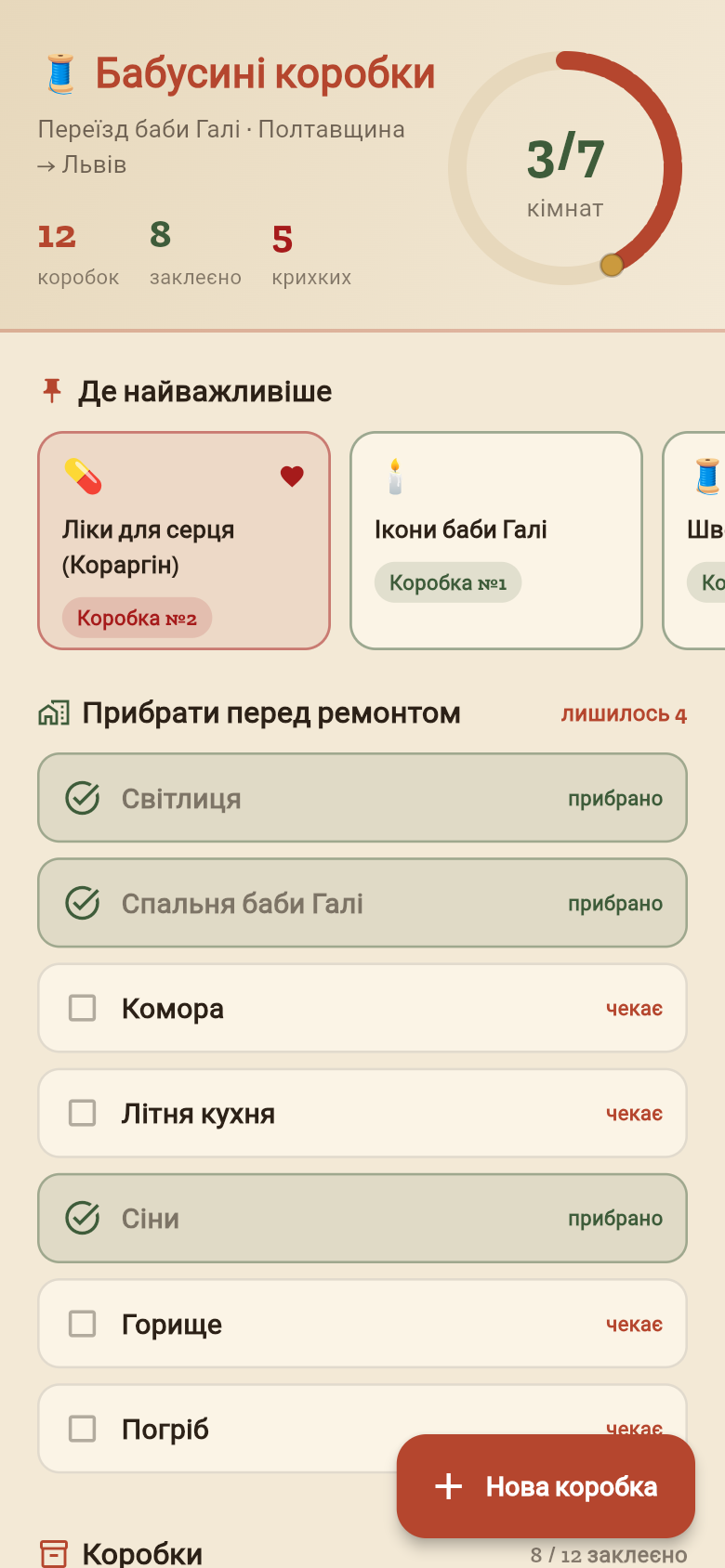
Babusia's Boxes was built for exactly this situation. It's a straightforward app that does one thing well: it tells you, at any moment, which numbered box holds the thing you cannot afford to lose, and which rooms are already cleared. Try the live demo embedded below, then read on for how the pieces fit together.
Live demo
The problem with numbered boxes
Anyone who has moved an elderly relative out of a long-lived family home knows that the numbering system starts well and collapses fast. Box 1 through 10 are carefully labeled. By box 20, the marker just says '20' and the contents list is in your head, or on a phone note that got overwritten, or on a scrap of paper now inside box 23.
The stakes are higher than a typical move. Medication taken daily cannot surface three days later when you finally unpack the bedroom. Documents needed for the handover paperwork cannot be in an unmarked carton. The icons and the sewing tin matter to your grandmother in ways that are hard to explain to a removal crew.
What's needed isn't a complex inventory system. It's a fast, offline-first log: tap a box number, enter what went in, mark it sealed, and flag it critical if it holds something irreplaceable. That's the whole idea behind this app.
How it works in the field
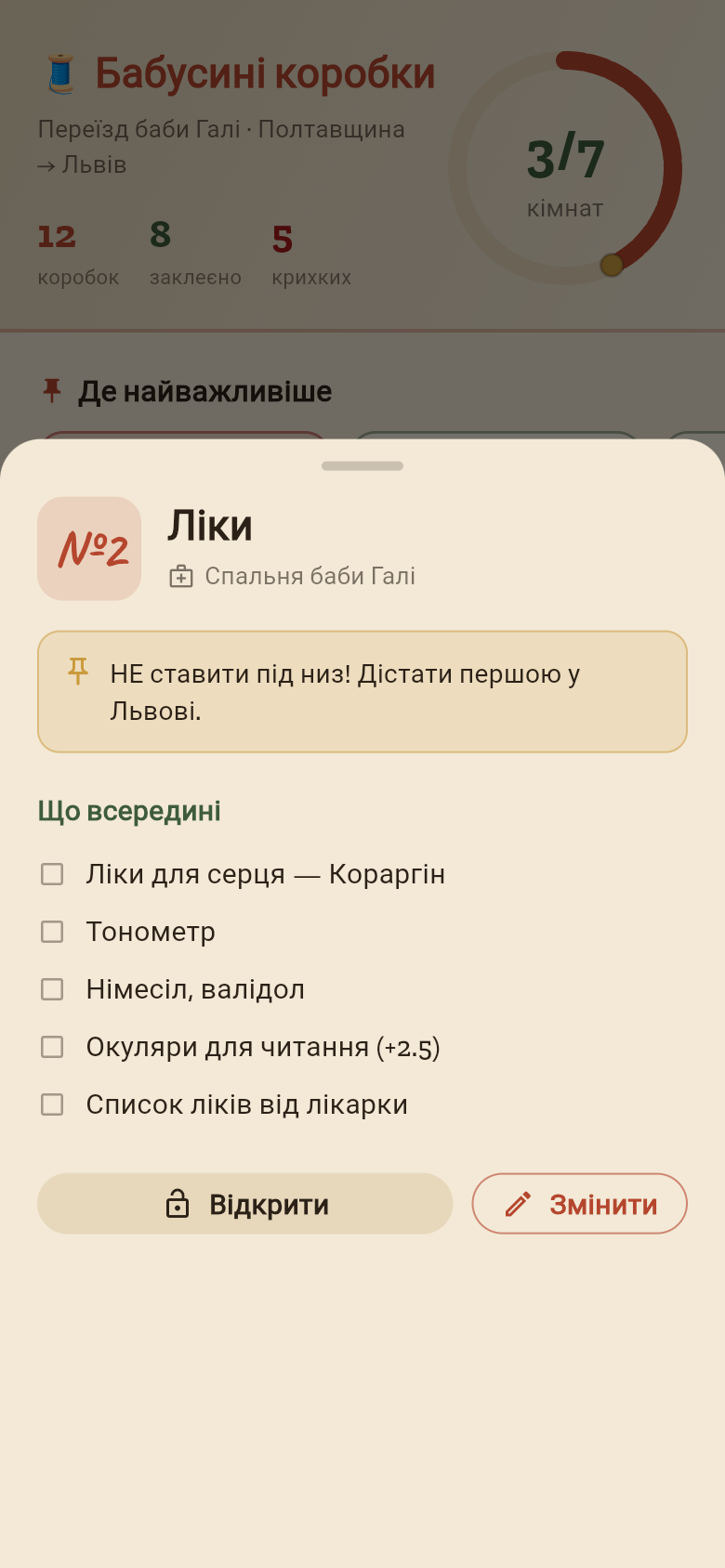
The flow is designed to work with one hand and poor signal. When you tape a box shut, you open the app, enter the box number, choose the room, and add the contents. You can mark a box as fragile, or flag it as containing critical items, which pins it to the top of the list.
The critical items view is the feature that earns its place on moving day. You can see at a glance: heart pills are in box 12, documents are in box 7, the icons are in box 19. When you arrive at the new flat at 11pm after a ten-hour drive, you don't search. You open the app, tap critical, and go to those three boxes first.
Room tracking is the other half. Each room in the house gets a status: packing in progress, cleared, or swept and handed over. Before the crew walks in, you can check the list and know which rooms still need attention. It's a simple checklist, but it removes the mental overhead of trying to remember whether you finished the pantry.
Built to work without signal
Village houses, basements, and the back rooms of old family homes often have no reliable mobile signal. An app that needs the internet to save a box entry is useless in these situations.
Babusia's Boxes stores everything locally on the device. There's no account to log in to, no sync to wait for, no empty screen while the connection times out. You enter a box, it's saved. You search for 'pills', the result comes back immediately. The data lives on your phone until you no longer need it.
This also means the app starts fast and never shows a loading spinner between steps. When you're moving quickly through a house with a deadline, every tap should respond instantly. The live demo above lets you feel this directly, try adding a few boxes and searching across them.
The search that matters most
Two days after the move, someone asks: 'Which box has the blue folder with the pension papers?' You don't remember. With a paper list, you read every entry. With Babusia's Boxes, you type 'pension' into the search bar and the answer comes back in a second: box 7, bedroom, sealed, marked critical.
The search covers box contents, room names, and box numbers together. You don't have to know which field to look in. This sounds small but in practice it's the feature that gets used most, because the move is never truly over the moment you arrive. Boxes sit in a new flat for weeks, and the question 'where did we put X' keeps coming up long after the crew has gone.
The screenshot below shows the search in action across a real set of boxes. Notice how critical items stay visible even in the results, so you always have context about what matters most.
A tool that didn't exist, built in an afternoon
There's no shortage of packing apps, but most of them are designed for household moves between two flats of similar size, with time to plan and a stable internet connection. The specific situation of relocating an elderly parent from a decades-old family home, under a renovation deadline, with a strong priority on medication and irreplaceable items, wasn't something any existing tool was really built for.
This app came out of a concrete problem, described in plain language, and turned into a working tool quickly. The features it ships are exactly the features that situation demands: critical item flagging, room clearance tracking, offline-first storage, and fast search. Nothing more, nothing more was added to round it out or make it look like a fuller product.
If you have a specific problem of your own, something that existing apps almost solve but not quite, the same approach works. Describe the situation, describe who it's for, and describe what it needs to do. That's where tools like this start.
39
files in the build
40.5 MB
app bundle
Flutter Web
runs in any browser
Have a problem that needs its own app?
Describe your situation in plain language and get a working tool built around exactly what you need, nothing generic, nothing you have to adapt. Babusia's Boxes started as a one-paragraph description of a real moving problem.