
koi
Koi Grading: A Pond-Side Log for Serious Fry Breeders
Grade your kohaku and sanke fry by pattern each week, track your keeper shortlist, and cull confidently toward twelve — all offline, pond-side.
Artem
Founder
· 5 min read
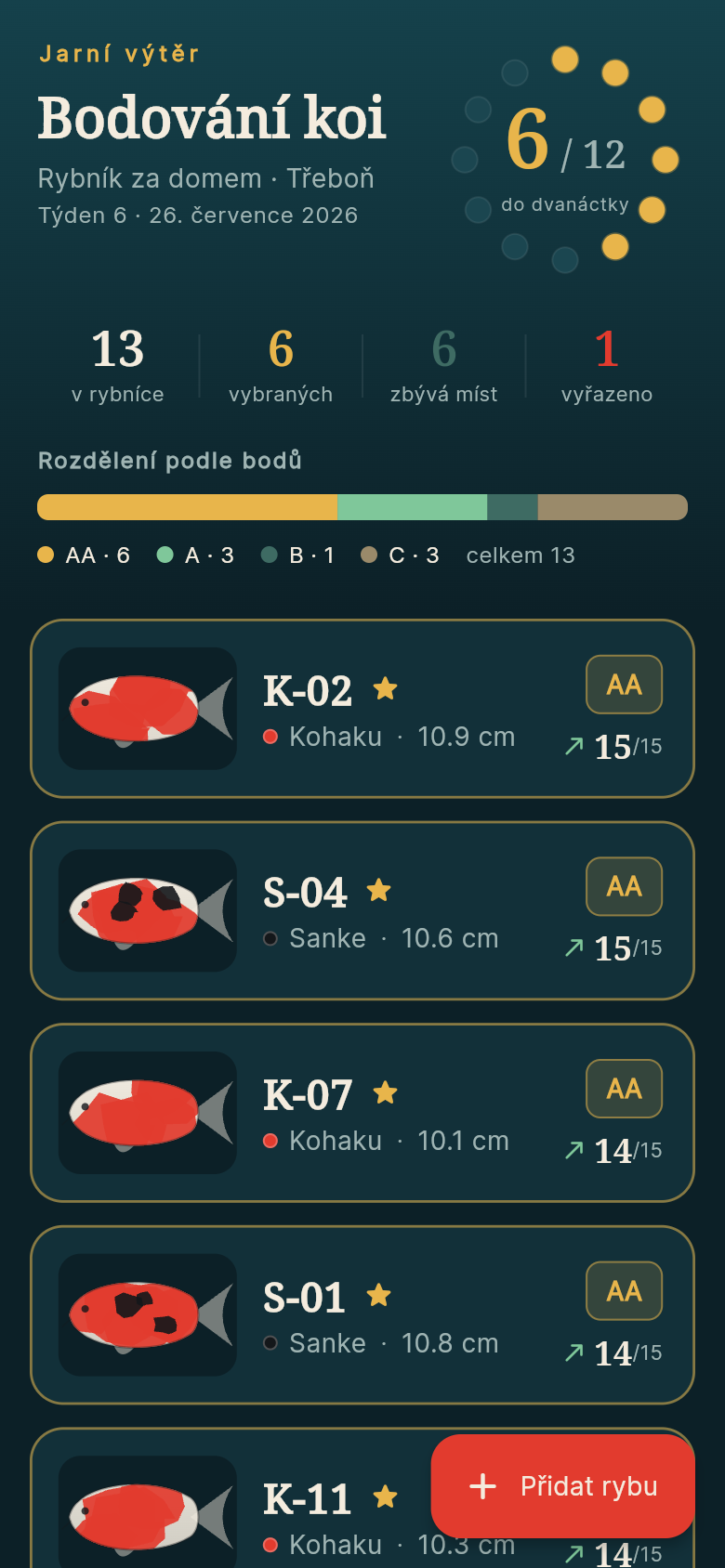
Every spring, a serious kohaku or sanke breeder faces the same weekly ritual: net out the promising fry one by one, hold each fish up to the light, and judge its hi placement, pattern balance, and shiroji clarity against last week's memory. The notes you made last Tuesday are soaked, smeared, and three pages back in a notebook that keeps sliding off the bucket lid.
Koi Grading is a small, focused tool built for exactly this problem. It lives on your phone, works entirely offline, and opens to a pond full of fish already waiting to be assessed — no blank screens, no setup overhead. Pull it out at feeding time, score the fry, and put it away. The app remembers everything you would otherwise have to reconstruct from wet paper.
Live demo
Score the Pattern, Get the Grade
Each weekly assessment asks for three numbers: hi coverage (1-5), pattern balance (1-5), and shiroji clarity (1-5), plus a current length measurement. The app derives a letter grade from those scores — AA, A, B, or C — using the same logic a breeder at a koi club already carries in their head, just made explicit and consistent.
The grade letter is what matters at a glance, but the numbers behind it are there when you want them. You can add your own notes to each entry: a remark about a koi that is developing an interesting step pattern, or a reminder that one fish was stressed during last week's handling and might score better next time. The scoring screen is fast by design — you can grade a bucket of fry in a few minutes without the app getting in your way.
Try it in the live demo: tap any fish in the list, enter scores for this week, and watch the grade letter appear. The inputs are large enough to use with wet fingers.
The Shortlist Counter Tells You Where You Stand
At the top of the main screen sits a single number: how many keepers you have chosen out of your target of twelve. If you are at seven of twelve, it shows 7/12. That count is the whole point of the exercise — everything else is context for that decision.
Marking a fish as a keeper (or removing it from the list) takes one tap. You can hold a fish at a tentative status while you wait to see how it develops over another week or two, then commit when you are confident. The app does not force you to decide before you are ready; it just makes sure you always know how many slots remain.
When the breeders' meet is a month away and you are still at nine of twelve with thirty candidates still in the pond, that pressure is real. Having the count visible every time you open the app keeps the culling on track without requiring you to do arithmetic in your head at the pond edge.
Week-Over-Week Trends Make the Hard Calls Easier
The most valuable thing the app does is show you whether a fish is improving or slipping. A kohaku that scored B three weeks running is probably a cull, even if this week's hi looks a little better than usual. A fish that climbed from B to A to AA over the same period is worth holding, even if a single snapshot would not tell you that.
Each fish has a small chart showing its composite score across every week you have logged it. The chart is not decorative — it is the information you cannot get from a paper notebook without doing the arithmetic yourself, and it is the thing most likely to change your mind about a borderline fish.
Scroll through the demo fish and open one that has several weeks of data. The chart is the first thing you see when you open the detail view, above the notes and above the grade letter. That ordering is deliberate: the trend is more informative than the current snapshot.
Offline, Always, Without Thinking About It
The app has no login, no sync, no server, no connectivity requirement of any kind. Data is stored locally on the device. You can use it in the middle of a field next to a pond with no signal and it behaves identically to how it behaves on your home wifi.
This matters more than it might seem. Pond-side grading already involves split attention — one hand on the net, one eye on the fry, water everywhere. Adding 'check if the app has synced' to that mental load is friction you do not need. The app opens, the fish are there, you score, you close it. Nothing to think about.
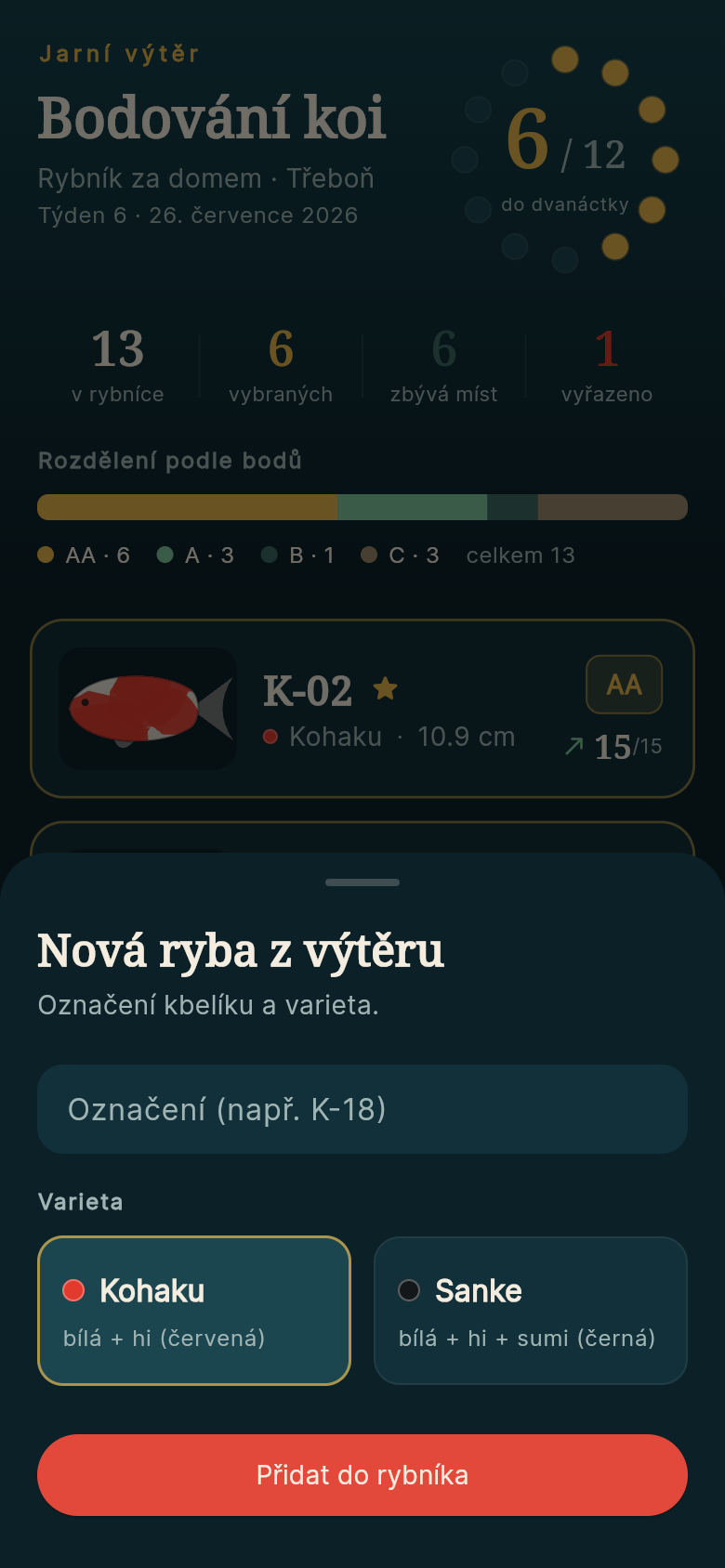
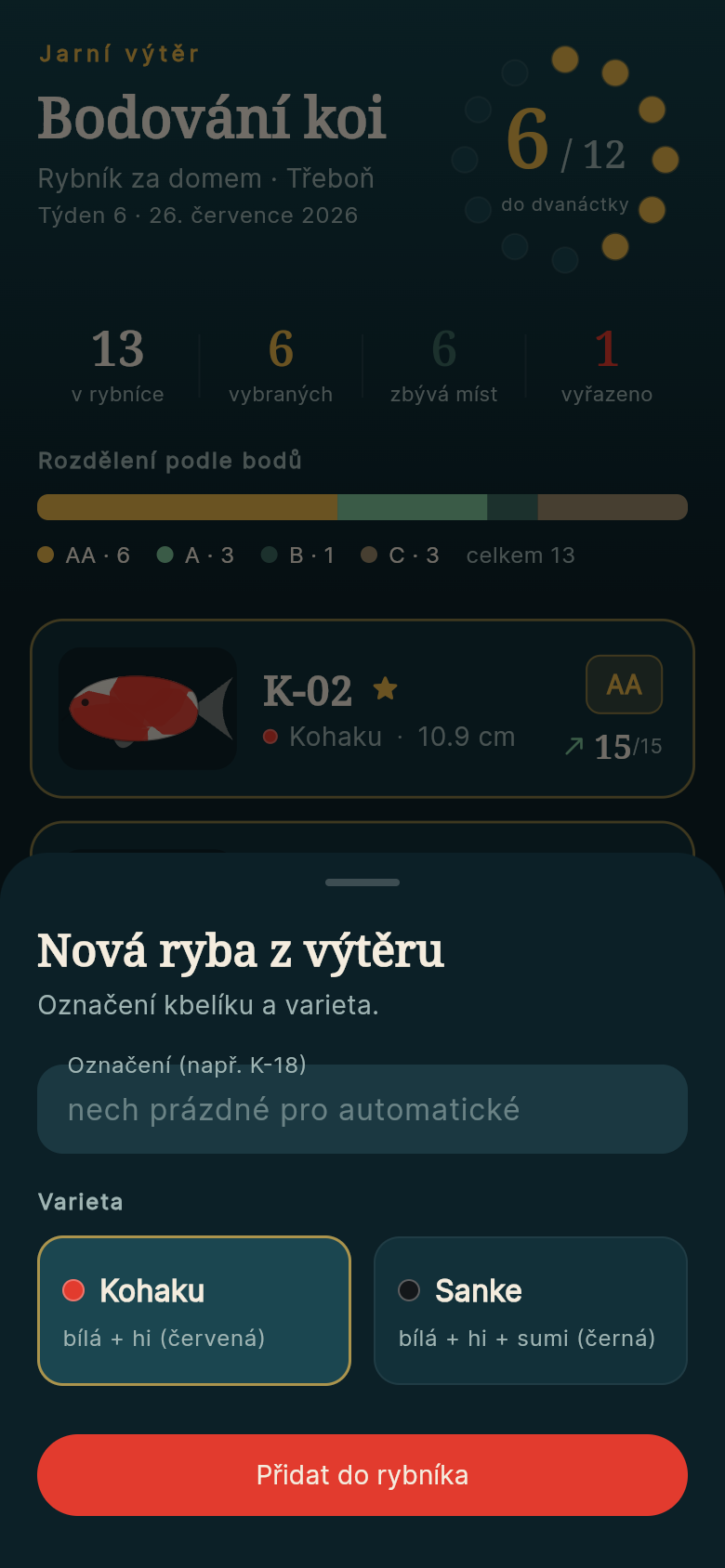
The first time you open it, the season's fry are already populated as example entries so you can orient yourself immediately. You can edit those fish to match your real cohort, or clear them and start fresh. Either way, you are never staring at an empty screen trying to figure out where to begin.
Built From a One-Line Idea
This app came from a single description of a problem: a breeder in Třeboň grading kohaku and sanke fry with a bucket and a notebook that keeps getting wet. The idea went in, and a working, interactive tool came out — ready to use, no app store, no waiting.
If you have a specific workflow that lives on paper or in your memory and would work better as a small focused app, the same process takes a few minutes. The tool does not need to be complicated to be useful. Sometimes the most valuable thing is just a reliable place to put the numbers.
39
files in the build
40.7 MB
app bundle
Flutter Web
runs in any browser
Have a workflow that deserves a proper tool?
Describe the problem in one sentence and get a working app built around your exact process — offline-ready, no account required, built in minutes.