
finance
Split Tab: Fair Trip Costs Without the Spreadsheet
Log what each person paid, for whom, and Split Tab figures out the shortest path to settled — no accounts, no internet, no chasing anyone down.
Artem
Founder
· 4 min read
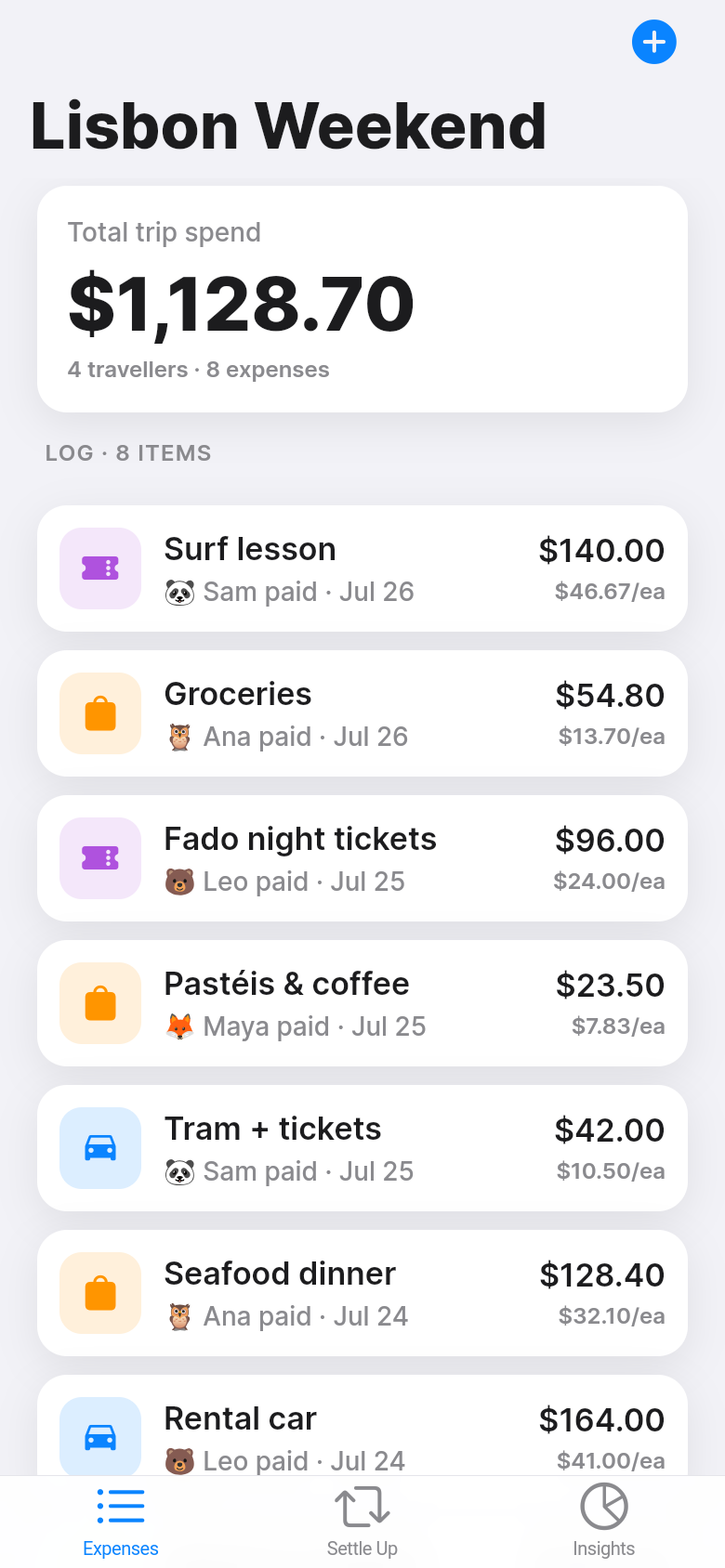
Every group trip ends the same way. Someone fronted the Airbnb, someone else covered the rental car, a few people paid for dinners in rotating combinations, and now there is a group chat full of half-remembered numbers and gentle reminders. You know roughly who owes whom, but working out the exact amounts, and then reducing it to the fewest possible bank transfers, is the kind of arithmetic that eats a Sunday afternoon.
Split Tab handles that arithmetic for you. You log each expense, choose who it covers, and the app shows each person's running balance. When you are ready to settle, it collapses the whole web of debts into the smallest number of transfers that clear everything. Try the live app embedded below, it opens with sample trip data so you can see exactly how it works.
Live demo
Logging expenses the way trips actually work
Not every cost covers the whole group. The hotel room might be for four people while two others stayed with a friend. One couple skipped the wine tour. Three people shared a taxi the others didn't take. Split Tab lets you record each expense with its own payer and its own exact subset of participants, so the math reflects what actually happened rather than a simplified equal split.
Adding an expense takes about ten seconds: a description, the amount, who paid, and checkboxes for who it covers. That's it. There's no category tree to navigate, no receipt scanning, no mandatory notes field. The app stays out of your way so you can log things as they happen, on a phone with patchy mountain Wi-Fi, without losing your place in the conversation.
Balances at a glance, settlement in one screen
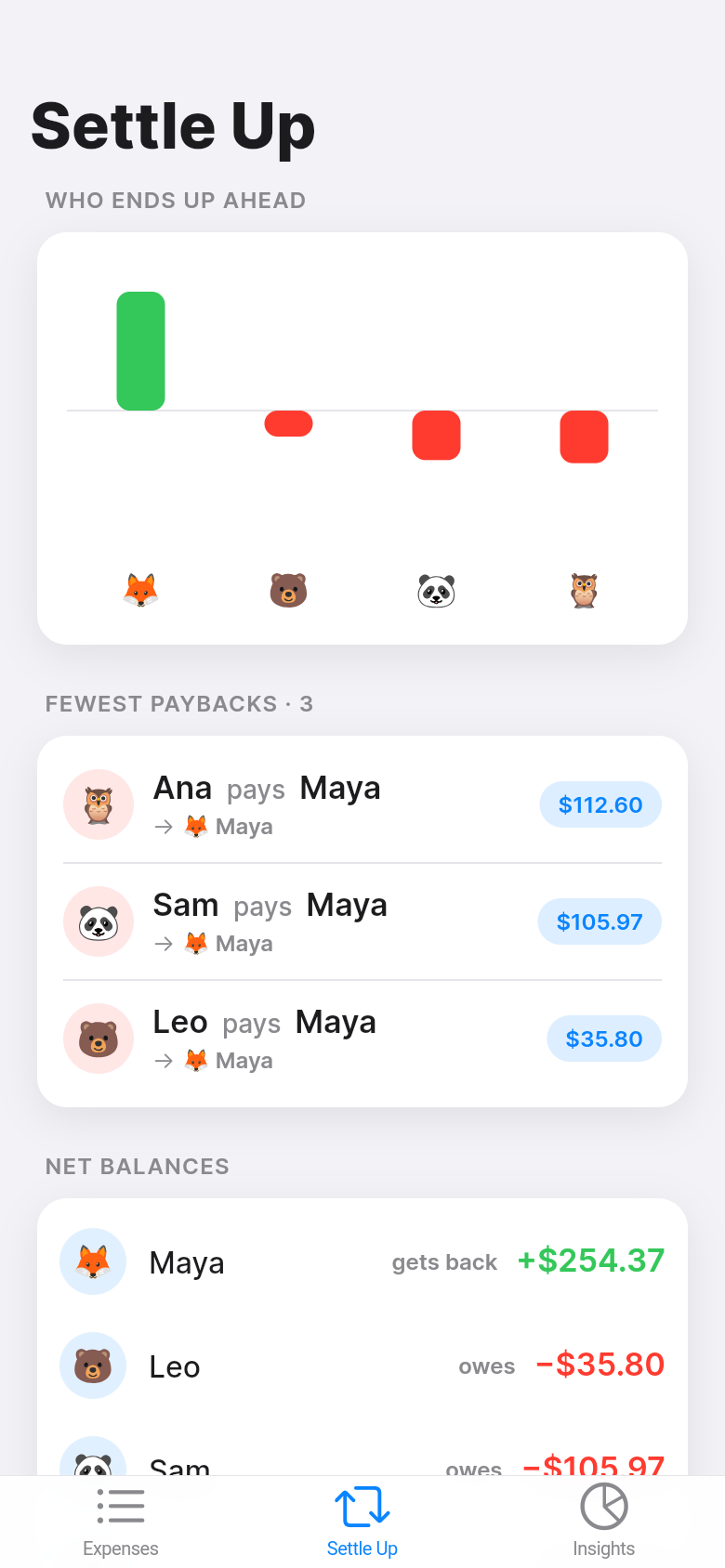
The balance view shows each person's net position in plain numbers: positive means they are owed money, negative means they owe. You can see at a glance who has been carrying the group and who is behind. Scroll through the list and the picture becomes clear before you even get to the settlement step.
Tap Settle Up and the app produces the minimal repayment list. If five people each owe different amounts to different people, naive settlement might require ten or twelve transfers. Split Tab finds the mathematically shortest path, often three or four transfers, that zeros every balance. That matters in practice: fewer transfers means fewer awkward reminders and fewer chances for one to slip through the cracks.
The algorithm doesn't try to preserve who owes whom in the original sense, it only guarantees that after the listed transfers every person's balance is exactly zero. For most groups that tradeoff is fine, the goal is settled, not a perfect accounting of every original debt.
No account, no sync, no friction
Split Tab stores everything locally on the device. There is no sign-up screen, no email confirmation, no cloud sync to configure. Open the app and you are already inside a working trip with sample expenses loaded. Delete the samples, add your own, and you are done.
Fully offline means it works on a plane, in a national park, on a ferry, anywhere your group happens to be when someone says 'wait, did we log that dinner?' The data lives on the phone until you choose to clear it, no server dependency, no subscription required.
Who it fits
The obvious use is a group holiday where costs rotate across the trip. But it works just as well for roommates splitting a grocery run or utility bill, couples alternating who pays, or a family weekend where the parents front everything and want to see a tally before splitting with siblings.
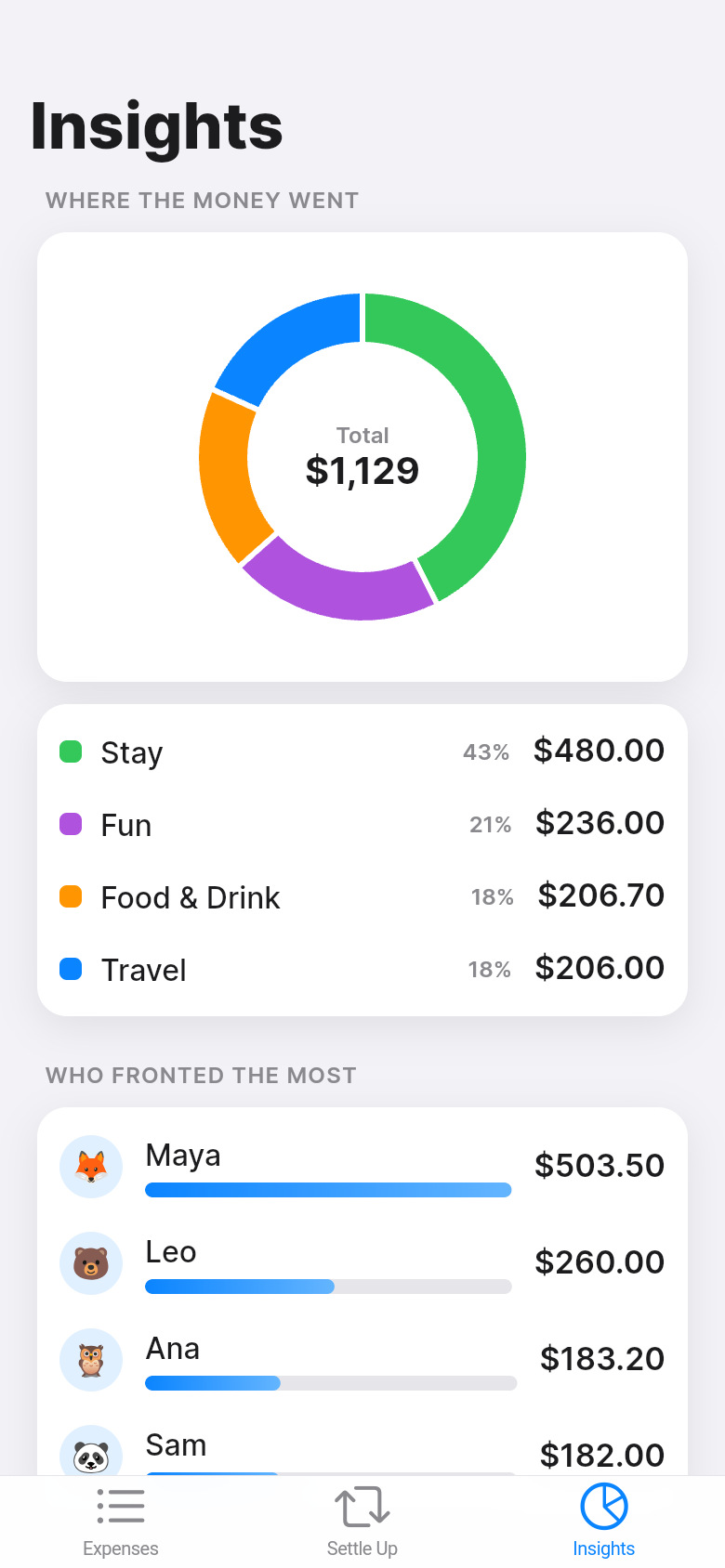
The sample data the app opens with shows a realistic four-person trip: accommodation paid by one person, a car shared by three, meals in various combinations. Scroll through it and you will immediately see how your own trip would map in. Then wipe the samples with one tap and start logging your actual numbers.
From idea to working app
Split Tab started as a one-line description of the problem: after a group trip, reconciling who owes whom is slow and error-prone. Within minutes it became a fully working app with real logic, real persistence, and a real interface. No boilerplate template, no feature list negotiation, just the tool that solves the specific problem.
If you have ever thought 'I wish there was a simple app for exactly this,' that sentence is all you need to start. The live demo embedded in this page is the real thing, try logging an expense, check the balances, and hit Settle Up to see the minimal transfer list.
39
files in the build
40.1 MB
app bundle
Flutter Web
runs in any browser
Have a tool idea of your own?
Describe the problem in a sentence or two and Leanfinit builds you a working app, no templates, no coding, just the tool you actually need.