
craft tools
Fjord Knives: Tracking Eight Hand-Forged Jul Gifts
When you're forging a knife for every cousin, keeping eight blades at different stages straight is the real craft challenge. Here's a tool built for exactly that.
Artem
Founder
· 4 min read
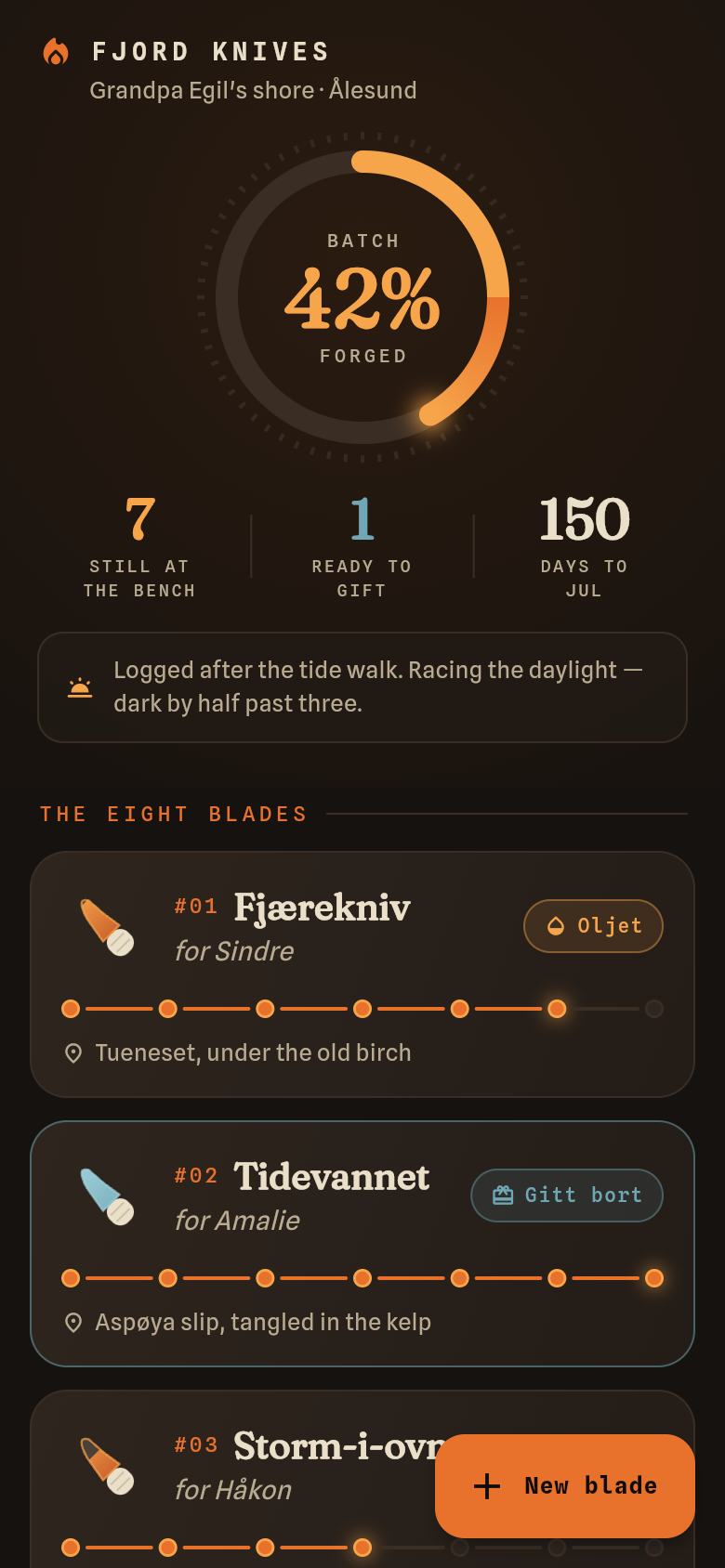
Every December in Ålesund, the tide brings in driftwood, and Grandpa Egil's grandchild heads to the forge. This year's project: one birch-handled knife for each of eight cousins, the steel reclaimed, the handles shaped from wood pulled off the beach. It's a meaningful gift. It's also eight separate objects moving through grinding, hardening, handling, and oiling at their own stubborn pace, with Christmas Eve arriving whether you're ready or not.
Fjord Knives is a small, focused app built around that exact situation. Open it and you see all eight blades at once, each showing exactly where it stands. Tap a blade to move it forward one stage. Check how many are finish-ready. Watch the days-to-Jul counter tick down. That's the whole thing, and that's enough.
Live demo
The problem with tracking craft in your head
Multi-step handwork has a particular way of slipping. You finish hardening two blades on a Tuesday, skip Wednesday because the light goes at three in the afternoon, come back Thursday and spend ten minutes just trying to remember which ones you've already oiled and which ones just look oiled. A sticky note helps until it doesn't. A spreadsheet is overkill for something this personal.
The real issue is that each knife is its own small project. Cousin Sigrid's knife is at the grinding stage. Cousin Marta's is hardened and waiting for the handle. Cousin Henrik's handle is fitted but the oiling isn't done. None of them move together; they move when you have the time and the light and the right tool in hand. What you need is something that holds the state of all eight without asking you to think about it.
What the app shows you
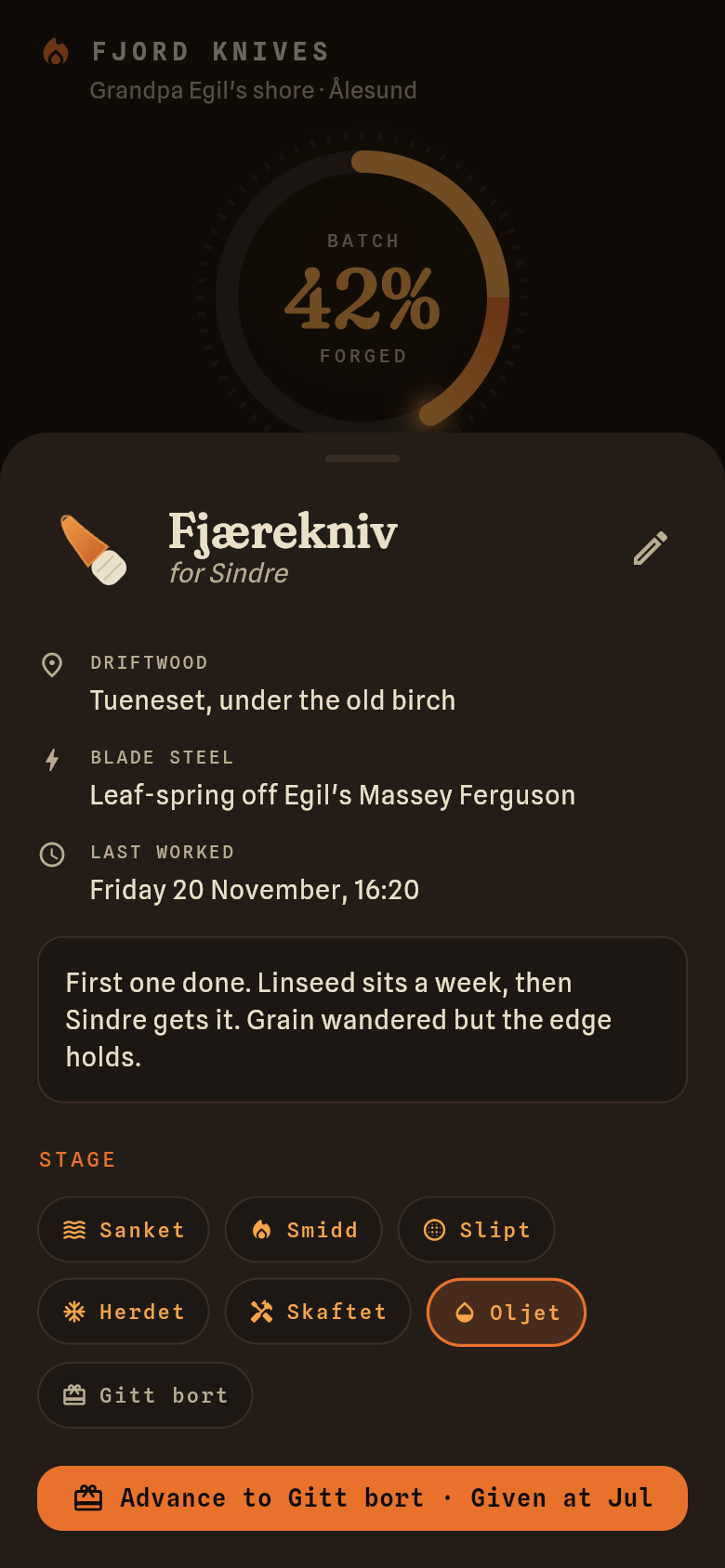
The main screen is a list of blades, each named for the cousin it's going to. You can see at a glance which forge stage each one is at, from the first rough grind through hardening, handle fitting, and the final oiling. There's no clutter, no calendar view, no project management language. Just the names you know and the stages you recognize.
At the top, two numbers: how many blades are gift-ready, and how many days remain until Jul. On a short Norwegian winter afternoon, when you have maybe ninety minutes at the bench, those numbers tell you immediately whether you're on track or whether you need to push.
Each blade also holds its provenance: which stretch of shore the driftwood came from, which batch of reclaimed steel went into it. That detail matters when the cousin asks, years later, where the knife came from. The app remembers so you don't have to.
Try it yourself in the demo below
The live app embedded here opens with the real batch already loaded, all eight cousins' knives, each at a different stage. Tap any blade to advance it forward. Watch the gift-ready count update. You're not looking at a prototype or a mockup; this is the actual working tool.
Notice that nothing resets when you leave the screen. The app persists state offline, which matters when you're in a workshop with no reliable signal and you just want to mark something done before you forget. Tap around, move a few blades through their stages, and you'll have the full picture of how it works inside a minute.
Why this kind of single-purpose tool works
The temptation with any tracking problem is to reach for something general: a to-do app, a notes file, a shared document. Those tools can hold the data, but they don't know what the data means. They don't know that eight is the whole batch, that 24 December is the hard deadline, or that 'oiled' is the last stage before a knife is a gift.
A tool built around one specific situation can make those facts structural. The stage names are the right stage names. The batch size is the real batch size. The deadline is the actual deadline. That specificity is what makes the difference between a tool you use and a tool you abandon after two days.
This one was built from a single description of the problem: a hobbyist bladesmith in Ålesund, eight cousins, one knife each, Christmas Eve. The whole thing took an afternoon to put together. The forge work will take longer, which is as it should be.
What you'd change for your own batch
The forge stages here are specific to birch-handled driftwood knives: grind, harden, handle, oil. If your craft moves through different steps, those labels would change. If your deadline isn't Jul, the counter points somewhere else. If your batch is four items instead of eight, or forty, the structure holds.
The provenance fields are what make this personal rather than generic. Knowing that Henrik's knife came from the Borgund beach and uses steel from the old farm gate is the kind of detail that belongs in a gift, not a spreadsheet. The app keeps it close to the object it describes, which is where it belongs.
39
files in the build
40.4 MB
app bundle
Flutter Web
runs in any browser
Have a craft project that needs its own tracker?
Describe the problem in one sentence and Leanfinit builds the tool around it. No generic templates, no configuration overhead, just something shaped exactly for your work.