
grocery
Aisle Sort: Shop the Store Once, From End to End
A grocery list app that groups your items by aisle and orders them in walking sequence, so you check out faster and skip the backtracking.
Artem
Founder
· 4 min read
Most grocery lists are written in the order things occur to you: milk, then pasta, then apples, then butter. That's fine at the kitchen table. At the store it means weaving from dairy to the back aisle to produce and back to dairy again. By the time you hit the checkout, you've covered the floor twice and picked up a bag of crisps you didn't need.
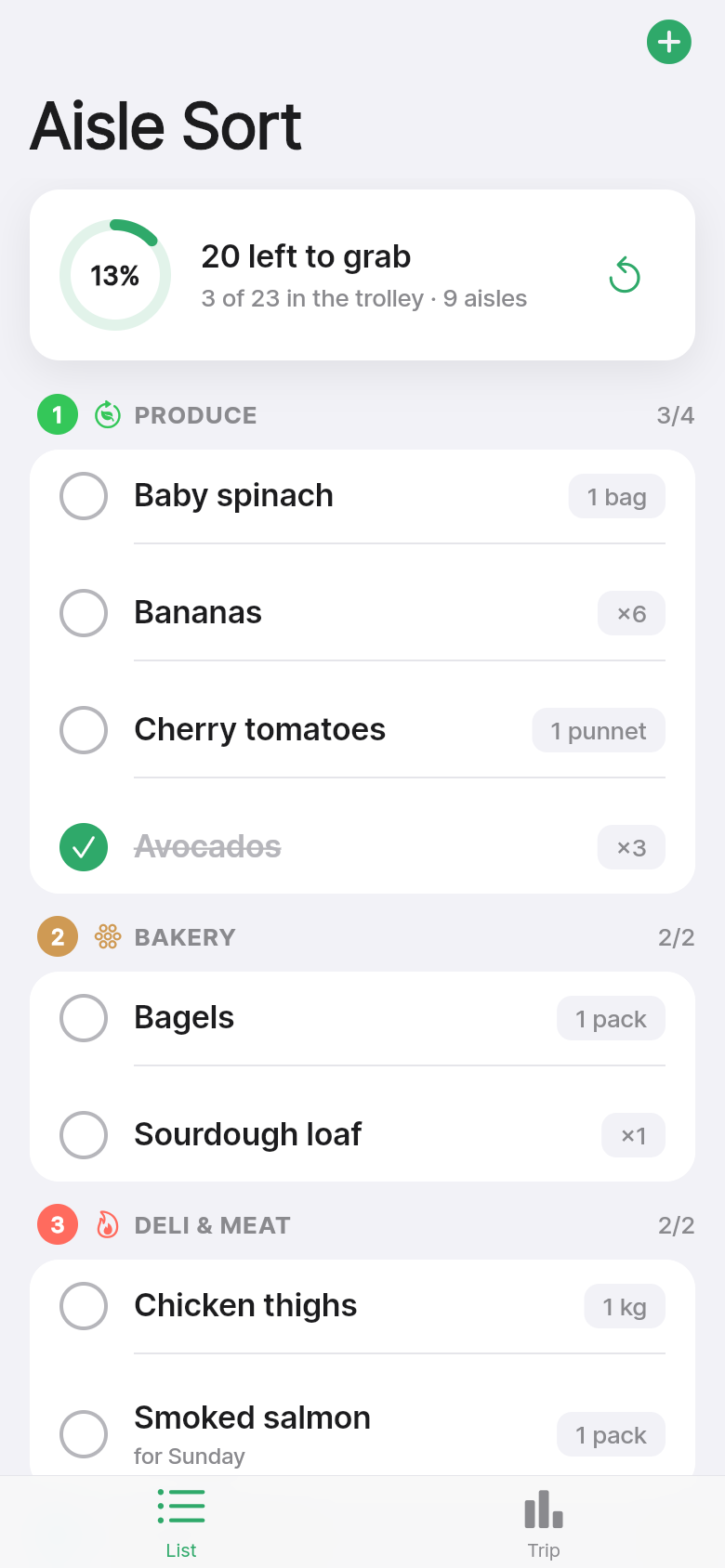
Aisle Sort fixes the order before you leave the house. Drop your items in any order you like, and the app groups them by store section, arranged in a single walking path from entrance to checkout. Try the live demo below, or read on to see how it works.
Live demo
The list is already sorted when you walk in
The core idea is simple: your items belong to a section of the store, and those sections have a physical order. Aisle Sort knows that produce is near the entrance, dairy is at the back, and frozen is one of the last stops before checkout. When you add an item, it lands under the right aisle heading automatically.
You don't configure anything. There's no 'set your store layout' screen or manual category picker. You type 'Greek yogurt' and it files under Dairy. You type 'sourdough' and it lands under Bakery. The app opens with a real weekly-shop list already loaded, so you can see the grouped layout the moment it launches, even if you've never typed a single item.
Check off as you go, one aisle at a time
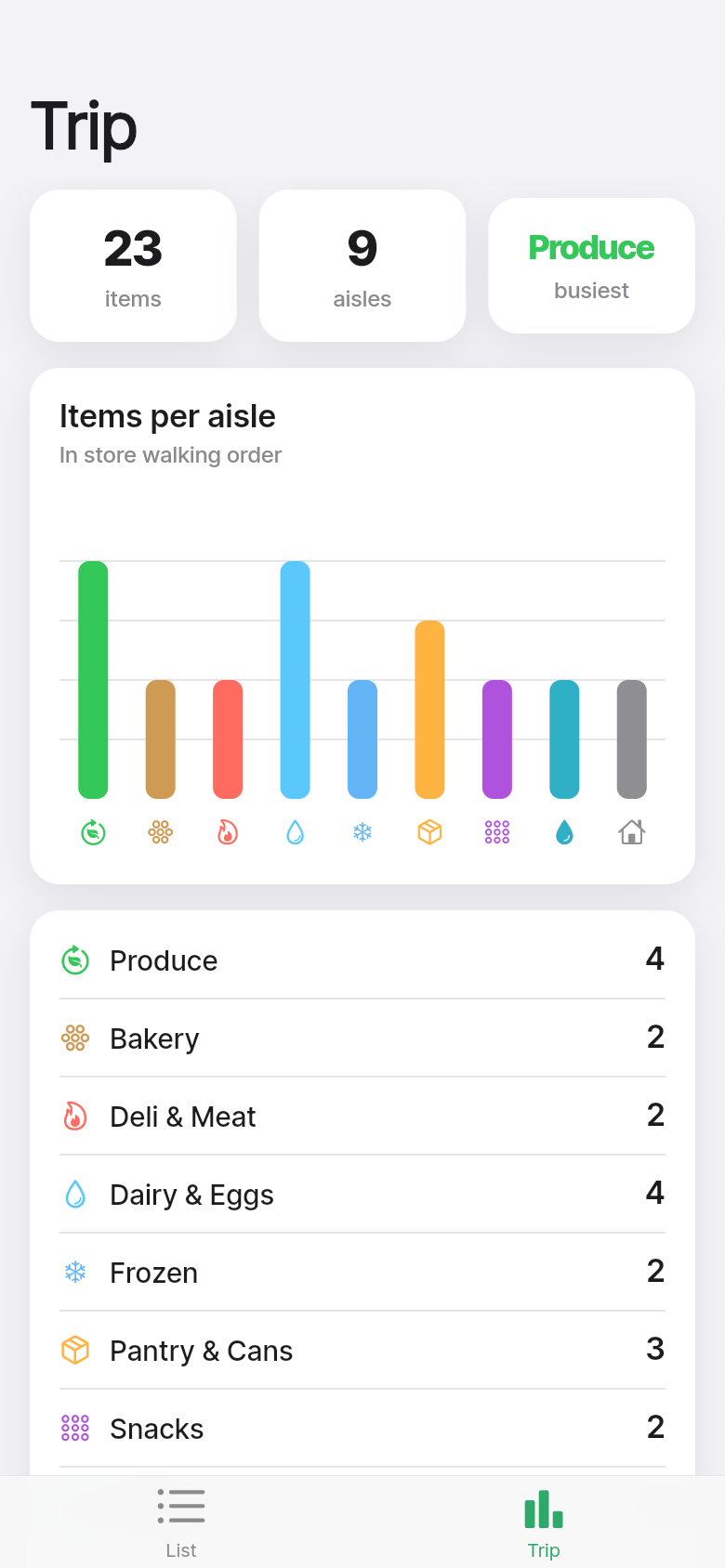
Each section shows a small progress indicator: how many items remain in that aisle versus how many you started with. When you tap an item to check it off, it fades without disappearing, so you can glance back and confirm you didn't miss anything before you move on.
Swipe to delete if something was already in the cupboard. Tap to edit if you remembered the wrong size. Everything updates immediately, no sync delay, because the list lives entirely on your phone. No account, no connection needed, no spinning wheel while you're standing next to the yogurt.
At the top of the screen a summary shows you which aisles have the most items left. If you're splitting the shop with a partner, that one glance tells you which half of the store is the bigger job.
Why walking order matters more than you'd think
Grocery stores are designed for browsing, not efficiency. End caps, special offers, and the layout of essentials at the back are all deliberate friction. A list that follows the store's physical sequence removes a layer of that friction. You walk one direction, you collect, you leave.
The difference shows up most on a big shop, when the list is 30 or 40 items across a dozen categories. Without a sorted list, the mental load of scanning for what's next is constant. With Aisle Sort, the next aisle heading is always your prompt. You're not reading a list, you're following a route.
Meal-plan veterans have done this by hand for years, grouping items on paper by section before heading out. This app does that grouping automatically so you can spend the planning time on the meal itself, not the list format.
Built for the weekly shop, works for everything else
The app opens fast and stays out of your way. There's no onboarding, no account creation, no push notification asking you to rate it. You open it, you see your list, you shop.
Because it works fully offline with instant local saves, it's reliable in the patchy signal environment of most large supermarkets. Your list doesn't disappear when you lose signal in the freezer aisle. Your checked items are still checked when you get back to the car.
It works just as well for a quick top-up run as for the full weekly haul. Add three items, they're sorted, you're done. The structure scales down gracefully: a list with two aisles looks clean and simple, not over-engineered.
Give it a try in the demo above
The live version embedded in this article is the real app. You can add items, check them off, delete them, and see the aisle grouping update in real time. Try adding 'frozen peas' and watch it slot into the Frozen section. Add 'cheddar' and it lands in Dairy. The seeded list covers a typical week, so you can get a feel for the layout without typing anything.
The shopping trip that used to take 45 minutes of floor-crossing becomes a single sweep. That's the whole promise, and the demo is a good place to see whether it holds.
39
files in the build
40.2 MB
app bundle
Flutter Web
runs in any browser
Have a tool idea of your own?
Aisle Sort went from a one-line description to a working, interactive app in a single build. If there's a small daily friction you've been meaning to fix, you can do the same thing.