
grocery budget
Cart Total: Know Your Grocery Bill Before You Reach the Register
A live running total that turns grocery shopping into a stress-free experience — see exactly what you'll owe, aisle by aisle, before the cashier says a word.
Artem
Founder
· 4 min read
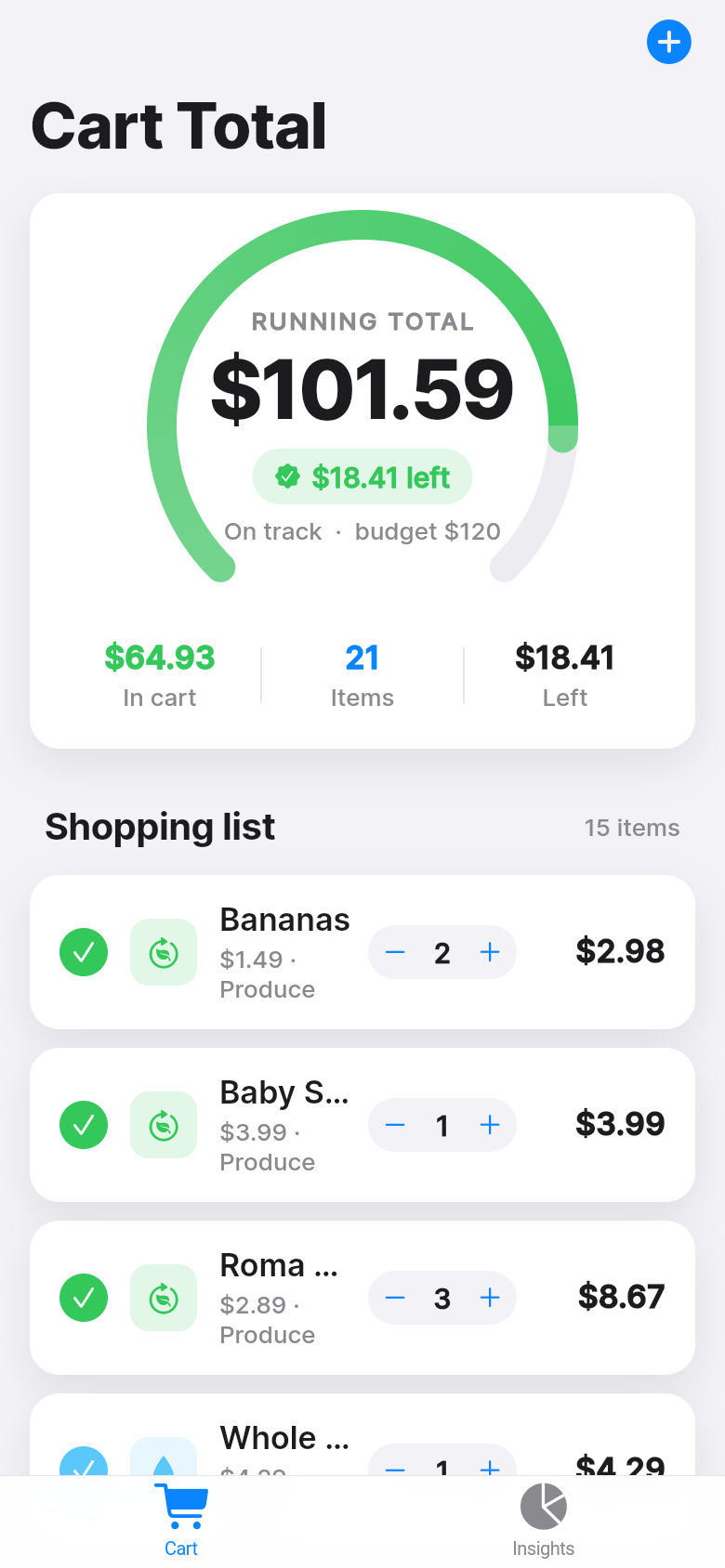
You're three aisles from the register, cart already full, and you have no idea whether you're at $80 or $130. Most people at this point just hope for the best — and then wince when the total appears on the screen. Cart Total was built to close that gap. It gives you a live running total as you shop, tied to a budget ceiling you set, so the decision of what to put back happens in the aisle where it's easy, not at the register where it's awkward.
The app is simple by design. Tap to add an item, type the price, adjust the quantity. A clear color signal tells you whether you're safely under budget or creeping over it. Go ahead and try it in the demo below — add a few items, bump the quantities, and watch the total react in real time.
Live demo
The problem with budgeting after the fact
Most personal finance apps are built for the past. They import your bank transactions, categorize last week's groceries, and show you a chart of what you already spent. That's useful for reflection, but it does nothing for the person standing in front of the cereal aisle deciding whether to grab two boxes or one.
The only number that matters while you're shopping is the number in your cart right now. Mental math is unreliable — prices aren't round, quantities change, and you're also trying to remember whether you have mustard at home. Cart Total handles the arithmetic so you don't have to. Every item you add is reflected immediately in the total, and the budget indicator shifts color the moment you cross the line you set.
A glance tells you everything
The over/under signal is the heart of the app. When your running total is inside budget, the display is calm and green. As you approach your ceiling it shifts to amber. Go over, and it flips to red with the exact overage shown. You don't need to do math — you need to glance. From two feet away, while your hands are on the cart, you know where you stand.
That remaining-amount figure matters as much as the color. Knowing you have $14 left gives you a real decision: grab the good olive oil or pick up the extra bag of chips, but probably not both. It turns shopping into something that feels manageable rather than a guessing game you're likely to lose.
Built for how people actually shop
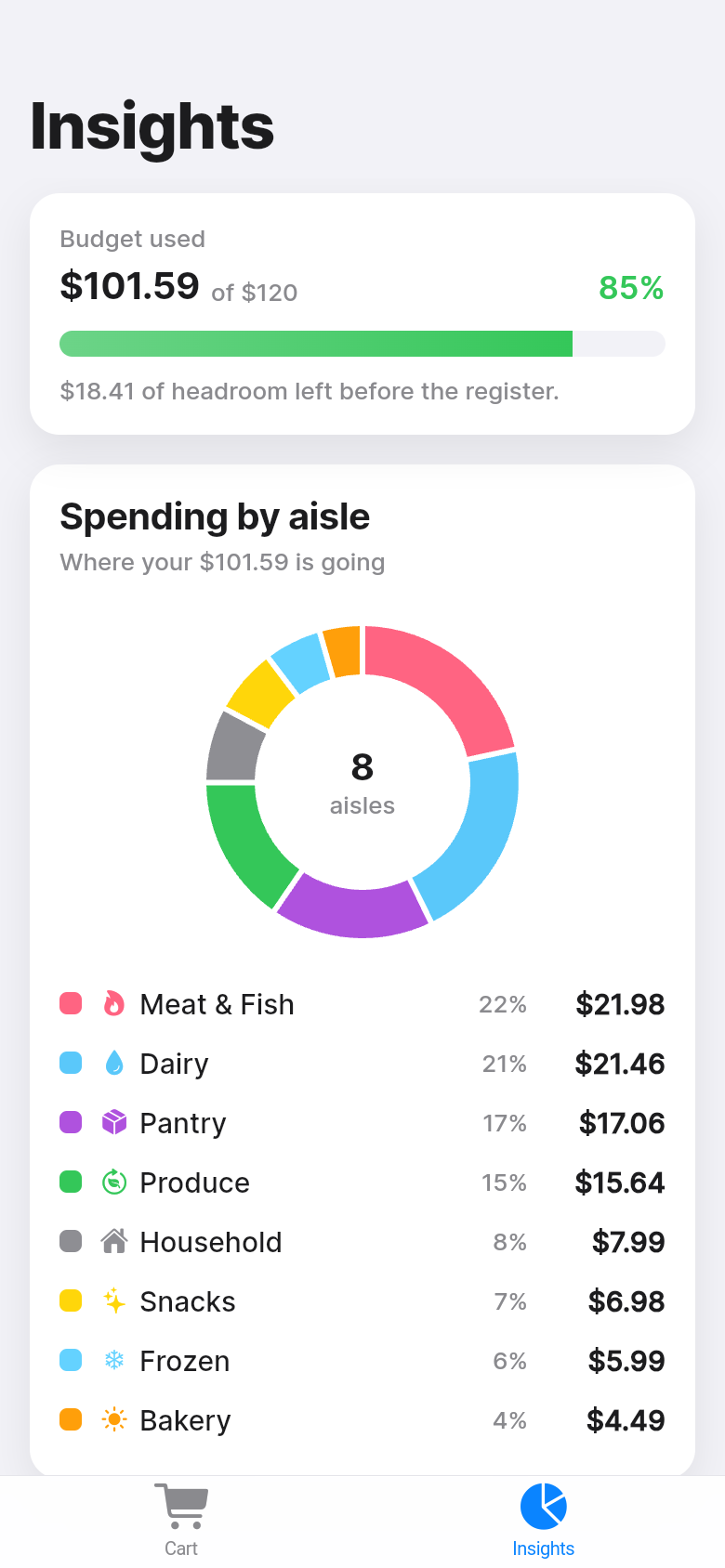
The item list is organized by aisle, which sounds like a small detail but changes how the whole thing feels. When you can see that produce is $22 and snacks are already $18, you know exactly where the money is going and where there's room to trim. If you're over budget, you're not staring at an undifferentiated list of items — you can see which section to revisit.
Editing is fast because it has to be. Standing in a grocery store is not the moment for slow interfaces. Tap an item to change the price or quantity, swipe to remove it, add a new one in two taps. The app opens with believable example data already in place, so you can get a feel for the layout the moment it loads — no blank-screen orientation required.
It also works completely offline. No account, no sync required, no waiting for a network request. Your cart data lives on the device. For something you use at a grocery store where signal is often patchy, that's not a nice-to-have, it's a necessity.
Who gets the most out of it
Families on a weekly grocery budget will feel the difference immediately. When one number represents your entire food spend for the week, having it visible in real time changes how you shop. You leave with what you planned to spend rather than a vague guilt about the receipt.
It's equally useful for anyone shopping on a tight margin — the last week before payday, a fixed household allowance, a student budget. The app doesn't judge the number you set. It just tracks against it faithfully and tells you where you are.
Even if you're not on a strict budget, there's something satisfying about knowing the total before the cashier does. No surprises, no fumbling, no deciding at the register whether to put the wine back.
Try it, then build your own
The live demo above is the real app. Add your hypothetical grocery list, set a budget that fits your week, and see how the aisle breakdown changes as you add items. It takes about two minutes to get a full feel for the flow.
Cart Total started as a one-line idea and was built into a working app in a single session. If you have a tool you've been wishing existed — something practical, specific, built around a problem you actually face — the same process is open to you.
39
files in the build
40.1 MB
app bundle
Flutter Web
runs in any browser
Have an idea for a tool of your own?
Cart Total went from a description of a problem to a working app in one session. If there's a small, useful tool you've been wishing someone would build, describe it and we'll build it for you.