
finance
No-Spend Tracker: Turn Daily Restraint Into a Visible Win
A dead-simple app for running a personal spending fast — tap each day clean or spent, watch your streak grow, and see exactly how much you've kept in your pocket.
Artem
Founder
· 5 min read
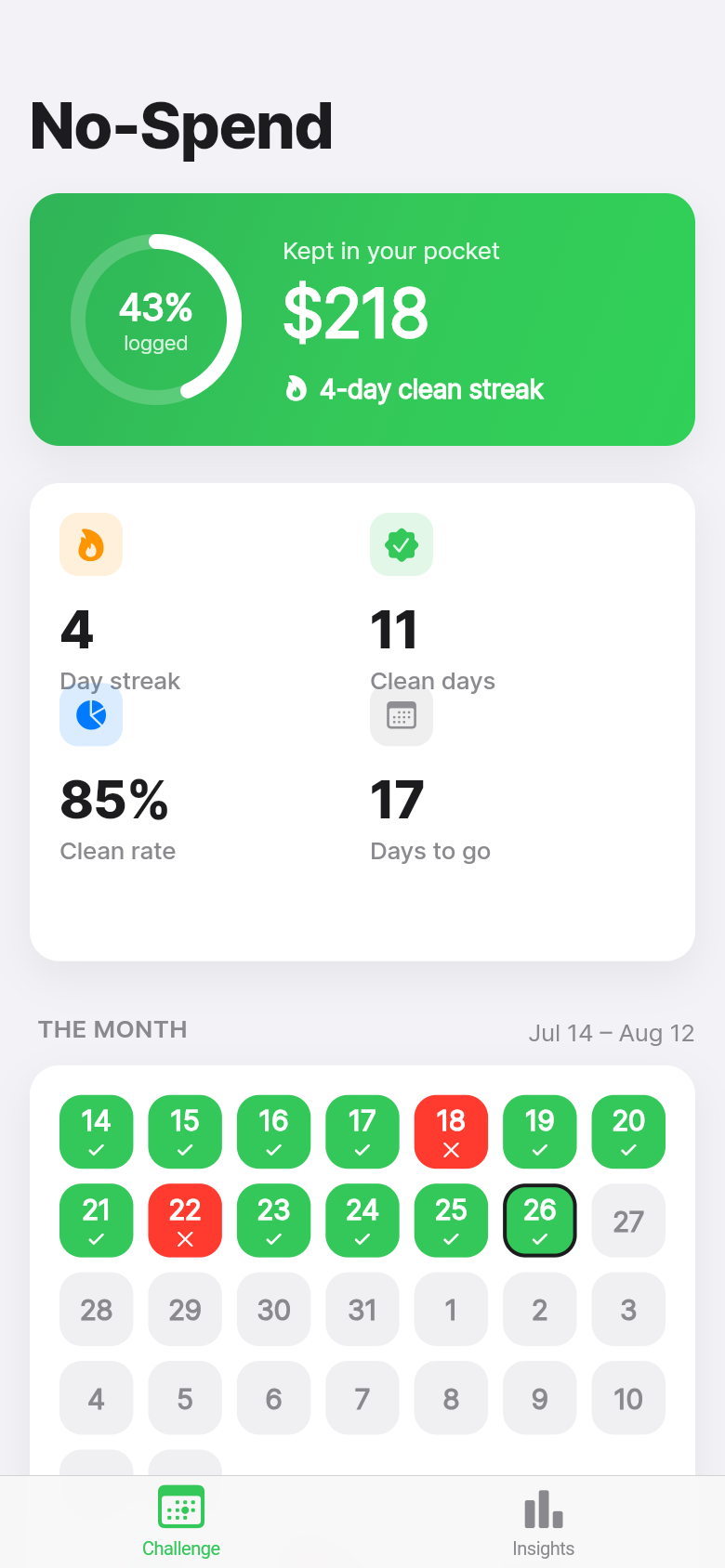
Every January, and again after the holidays, thousands of people decide to run a no-spend month. The rules are simple: don't buy anything discretionary for 30 days. The execution is harder. Spreadsheets get abandoned by day four. Paper calendars disappear. And most budgeting apps want your bank login, a monthly subscription, and fifteen minutes of onboarding before they'll show you a single number.
No-Spend cuts through all of that. Open the app, tap each day as clean or spent, and watch a running total of the money you've held onto. That's the whole thing. It's built for people who want one focused tool for one focused challenge, not another dashboard to manage.
Live demo
The problem with tracking a spending fast
A no-spend challenge is a behavior change, not a budgeting exercise. You're not trying to optimize categories or analyze trends. You're trying to get to the end of the day without buying a coffee you didn't need, clothes you won't wear, or a takeout order you could have cooked. The measure of success is binary: clean, or spent.
Most tools aren't built for that. Generic budgeting apps solve a different problem. They track everything, require account connections, and surface complexity that gets in the way of a simple daily commitment. Habit-streak apps come close, but they don't know anything about money. They can't tell you what your restraint is actually worth.
No-Spend sits in the gap. It knows you're running a challenge, it knows what a typical day of spending looks like for you, and it turns your daily check-in into a concrete number: the dollars that stayed in your pocket.
One tap, one decision
The core interaction is a daily tap. Open the app, see today's date, mark it clean or spent. If you got to the end of the day without discretionary spending, that's a clean day. If you slipped, mark it spent. You can come back and edit any day, so there's no pressure to check in at exactly the right moment.
The app opens already populated with a few days of example data, so the value is obvious the moment you launch it. You're not looking at a blank calendar wondering what to do. You're looking at a streak, a savings total, and a pattern, and the only question is: what do you want to add?
Try it in the demo above. Tap a day to flip it from clean to spent and back. Watch the streak counter and the savings total respond. The feedback is immediate and satisfying in a way that marking a cell in a spreadsheet never quite is.
Streaks, savings, and why both matter
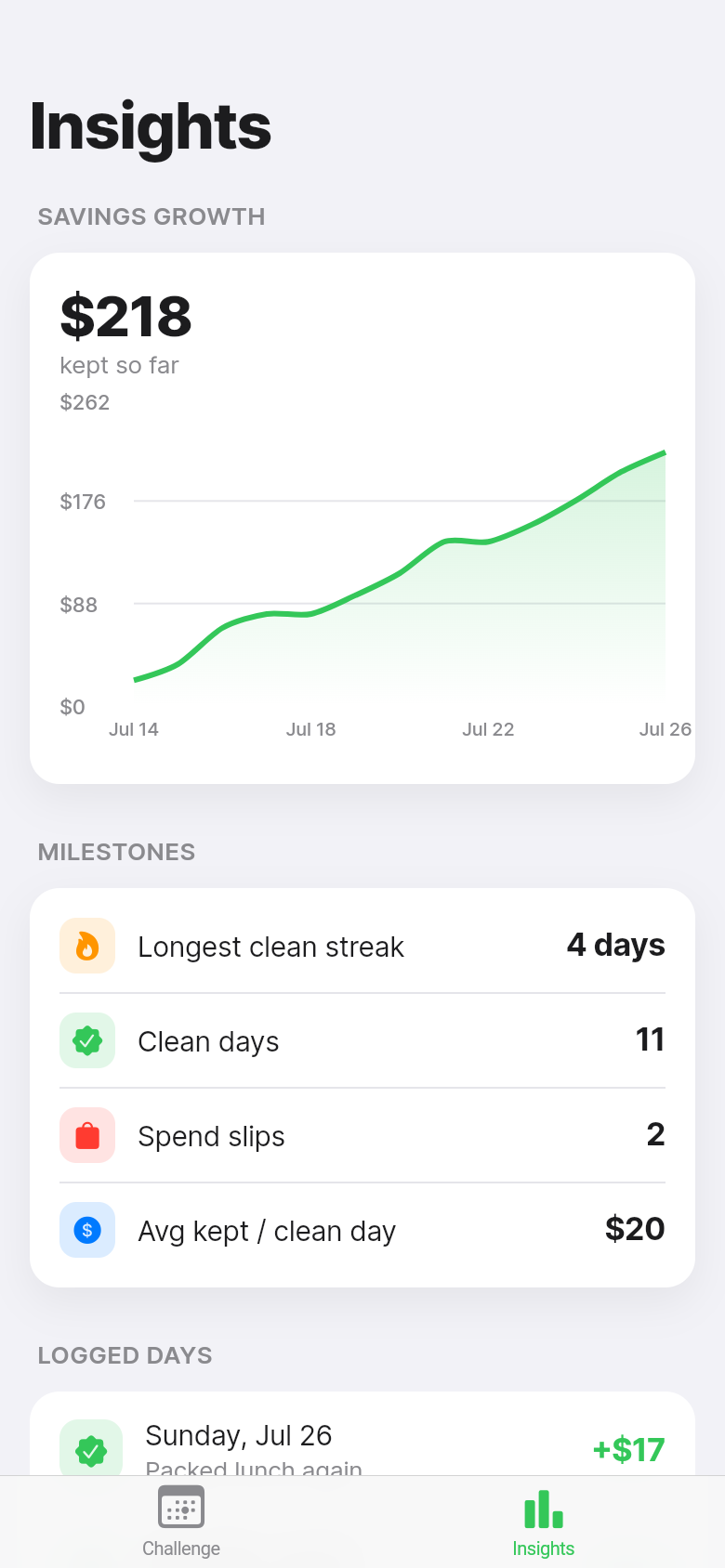
No-Spend tracks two numbers that together tell the full story of a challenge. The current streak counts the consecutive clean days you're on right now. The longest streak is your personal record for the challenge. Both are visible at a glance, and both do real motivational work.
Current streak creates momentum. On day 11, you don't want to break an 11-day run for an impulse buy. That friction is the point. Longest streak creates a floor. Once you've hit 14 days, you know you can do it again. These aren't game mechanics grafted onto a finance tool. They're a faithful copy of what actually works in the r/nospend community, where people post their streak counts the same way runners post mileage.
The savings total converts your streak into something tangible. The app uses a modest default daily estimate, and the accumulating number grounds the abstract concept of 'not spending' in real money. Seeing that you've kept a couple hundred dollars in your account over three weeks makes the challenge feel like it's doing something, not just making you feel virtuous.
Offline, private, no account required
Everything in No-Spend lives on your device. There's no server, no login, no email address to enter, and nothing to sync. Your spending data doesn't leave your phone. For a tool that's tracking your daily financial behavior, that privacy matters.
It also means the app works anywhere. No signal required. No subscription to keep active. No risk that the service shuts down halfway through your January challenge and takes your streak with it. Open it on the subway, in the checkout line when you're deciding whether to put something back, or at the end of the day when you're ready to log in.
This kind of focused, offline-first tool is exactly what the no-spend community has been building with paper printables and spreadsheets for years. The printable calendar works because it's always there and always visible. No-Spend is the phone-native version of the same idea.
Who this is for
If you're paying down debt and want a concrete way to track the weeks you stayed disciplined, this is your tool. If you're on the FIRE path and running a periodic spending fast to reset habits and accelerate savings, this gives you the data layer your spreadsheet doesn't. If you're just trying to get through a January no-buy month without losing track of how you're doing, it's the lightest possible way to do that.
It's not for people who want to see their full financial picture or connect their accounts. For that, there are excellent dedicated tools. No-Spend is for the specific moment when you've made a commitment to a challenge and you want something that holds you to it, shows you how you're doing, and makes each clean day feel like a small win worth having.
39
files in the build
40.1 MB
app bundle
Flutter Web
runs in any browser
Build your own focused tool
No-Spend started as a one-line idea and became a working app in minutes. If you have a simple problem you want a clean, private tool to solve, you can build it the same way.