
gardening
Sow & Grow: A Month-by-Month Planting Calendar for Your Beds
Stop missing the window to sow your courgettes. Sow & Grow shows you exactly what to plant, move outside, and harvest this month, for every crop in your beds.
Artem
Founder
· 5 min read
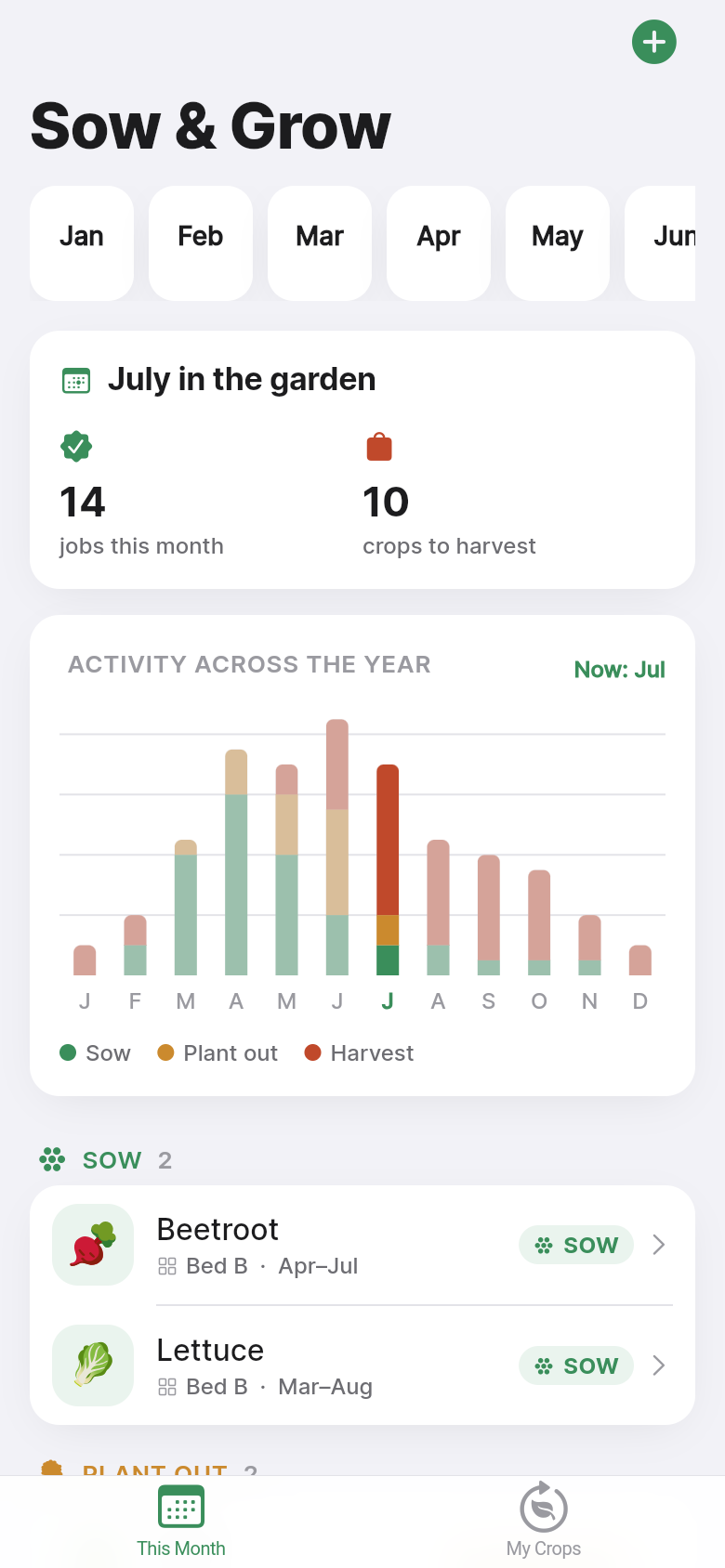
Every spring it happens the same way. You pick up a seed packet, squint at the back, and realise you were supposed to start those tomatoes indoors six weeks ago. Or you check a gardening book only to find the sowing chart is split across three different chapters. Sow & Grow cuts through that confusion with a single screen that answers the only question that matters right now: what do I do in my garden this month?
The app opens straight to the current month and lists every crop by what action it needs, whether that is sowing indoors, planting out, or harvesting. No account, no setup, no internet connection required. The crops are already there when you open it, covering the full range of temperate-climate vegetables, and you can add your own beds and custom crops in a few taps. Scroll down to see the live demo and try it for yourself.
Live demo
The problem with every other sowing guide
Seed packets list sow dates in fine print alongside spacing, depth, and germination time, all crammed into a few square centimetres. Gardening books give you a month-by-month chapter structure, but cross-referencing 'can I still sow parsnips?' against six different chapters is work you should not have to do in your wellies. Printable sowing calendars are better, but they live on a fridge, get wet, and never quite match your microclimate or your specific beds.
What allotment and kitchen-garden growers actually want is dead simple: open the app, see today's date, and get a clear list of what needs doing. Sow & Grow is built around exactly that workflow. The month view is the home screen, not a settings menu or an onboarding wizard.
What you see the moment you open it
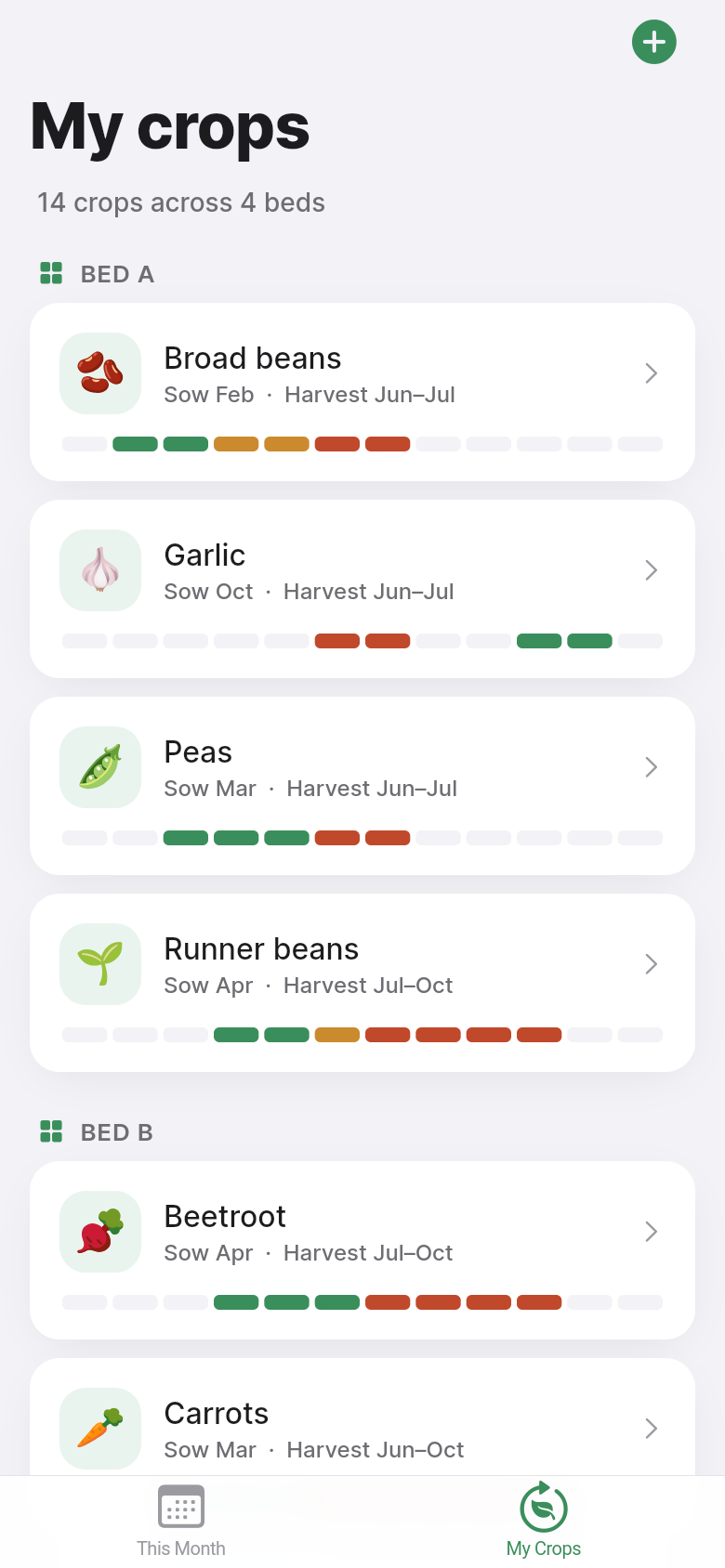
The app defaults to the current month and presents three columns: Sow, Plant out, and Harvest. Each crop sits under the right column for this point in the season. Tap any crop to see its full 12-month calendar, with each window colour-coded so you can see at a glance whether you are at the start, middle, or tail end of a sowing period.
The crops that ship with the app cover the staples most temperate-climate growers rely on: courgettes, beetroot, carrots, French beans, kale, tomatoes, leeks, and more. They are pre-configured with realistic windows so the app is genuinely useful the first time you open it, before you have added a single thing. Think of them as a sensible starting point rather than a locked-in prescription.
Try tapping through the months in the demo above. Notice how the crop lists shift as the season moves, with early spring dominated by indoor sowings, late spring filling up with plant-out reminders, and summer and autumn tilting toward harvest windows. That rhythm is the whole point.
Adding your own crops and beds
Not everyone grows the same things. If you are experimenting with chard, growing heritage varieties of pea, or working around a short season at altitude, the built-in crop list is a starting point, not a ceiling. The app lets you add a new crop with a name and then set its sow, plant-out, and harvest windows month by month. Edit an existing crop to nudge dates that do not match your local conditions. Delete anything that does not belong in your rotation.
Beds are handled the same way. You can label each raised bed or plot and track crops per bed rather than mixing everything into one undifferentiated list. For a small kitchen garden with two or three beds, this is the difference between knowing 'I should be sowing beans' and knowing 'bed two is ready for beans right now'.
Everything is stored locally on the device. There is no account to create, no sync to configure, and no data sent anywhere. The app works identically with the phone in aeroplane mode, which matters when you are at the allotment and the signal is unreliable.
Who this is really for
Sow & Grow suits growers who are past the complete beginner stage but have not turned their hobby into a full-time project. You probably have a few raised beds or an allotment plot. You grow from seed at least some of the time. You have felt the sting of missing a sowing window, or pulled up a courgette that got away from you because you forgot to check it for a week.
It is not trying to compete with full garden management suites that track soil pH, log every watering, and generate reports. That level of detail is right for some growers and completely wrong for others. This app is deliberately narrow. It does one thing, it does it the moment you open it, and it gets out of your way.
From idea to working app, ready for the season
Sow & Grow started as a one-line description of a problem: vegetable growers miss their sowing windows because the information is hard to find and cross-reference month by month. From that description, the full working app was built, complete with pre-loaded crops, a 12-month calendar view, bed management, and offline persistence. No spreadsheets, no manual calendar entries, no hunting through books.
If you have a problem in your own life that a small, focused tool could solve, the same approach works for your idea. The bar for getting from problem to working app is lower than it has ever been.
39
files in the build
40.1 MB
app bundle
Flutter Web
runs in any browser
Have a tool idea of your own?
Describe the problem you want to solve in one sentence and get a working app built around it. No code, no setup, just your idea.