
allotment
Plot 37: The Shared Allotment Watering App
Three people, one plot, and a heatwave. Plot 37 keeps your shared allotment organised so every bed gets water and no courgette dries out.
Artem
Founder
· 5 min read
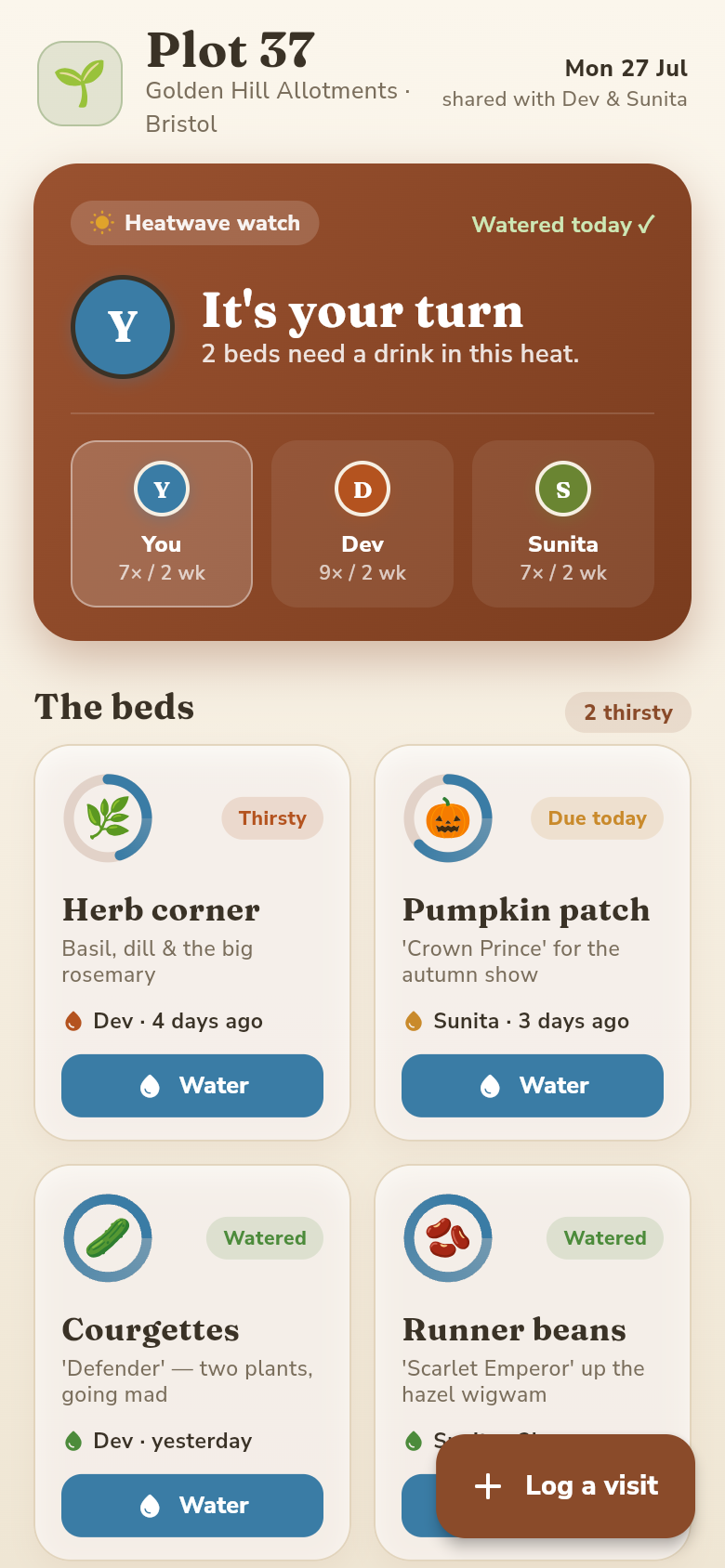
Three people share Plot 37. Each one visits at different times, sometimes on the same day, sometimes with a two-day gap nobody planned. The runner beans don't care about your schedules. When the temperature climbs and nobody can remember whether Tuesday's visit covered the far beds or just the brassicas near the gate, things go wrong fast.
Plot 37 the app was built to fix exactly that moment of uncertainty. It's a shared log and at-a-glance dashboard for small groups who co-tend one allotment or vegetable garden, showing whose turn it is, which beds are thirsty, and what happened the last time anyone visited. No sign-in required, works offline on your phone at the plot, and takes about ten seconds to log a visit.
Live demo
The problem with a shed whiteboard
Most shared plots run on a combination of group chats and a whiteboard inside the shed. In theory this works. In practice, someone messages at 7am saying they'll water on the way to work, another person sees the message three hours later and heads over anyway, and the courgettes get a double soak while the tomatoes at the far end are left dry for another day.
Feeding is even harder to track. Comfrey tea and tomato feed happen on a slower weekly rhythm, not daily, so they're easy to skip or double up without realising. A whiteboard gets wiped. A group chat buries the relevant message under weekend photos.
What co-plotters actually need is a single shared view that survives between visits, doesn't require anyone to be online at the same time, and updates the moment someone walks off the plot.
What you see when you open it
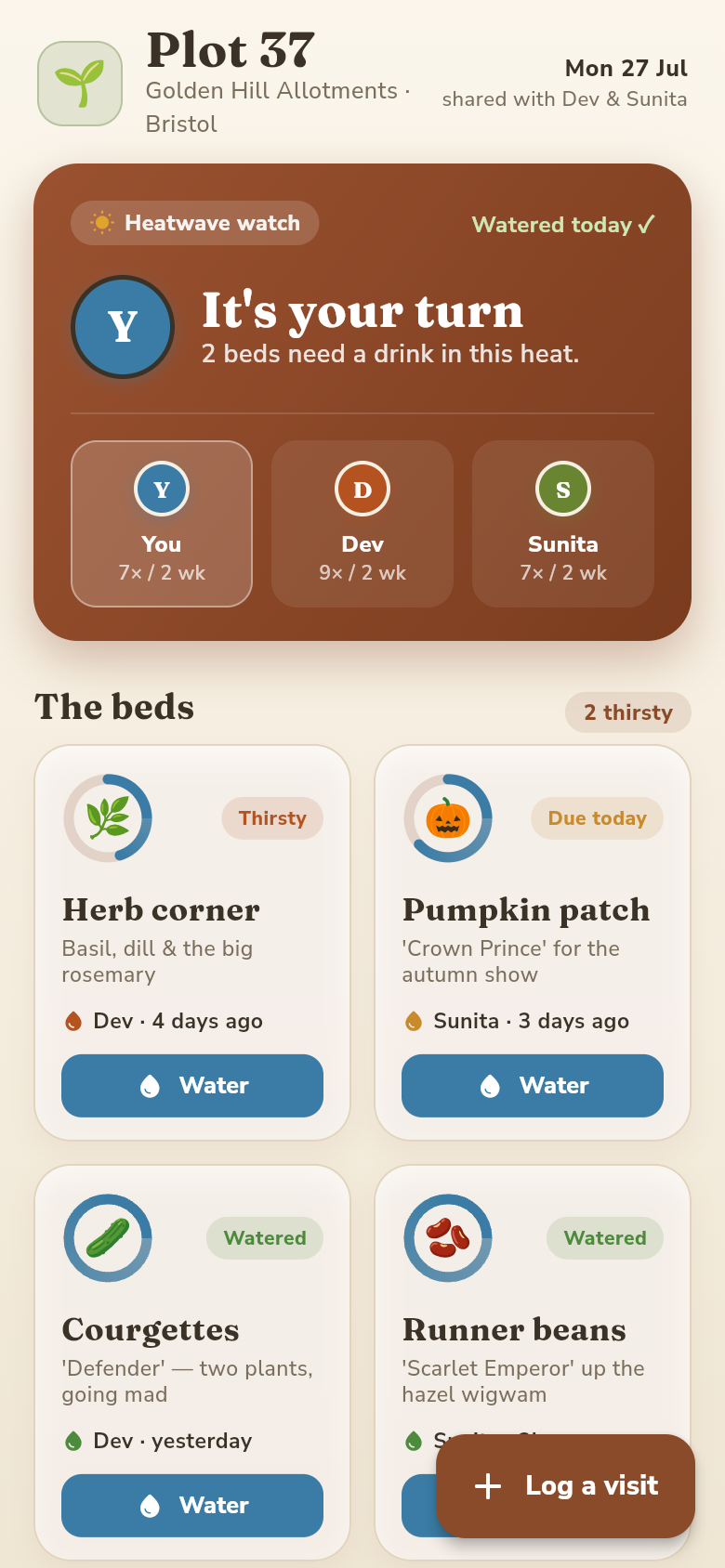
The home screen answers the two questions that matter most: whose turn is it, and which beds need attention right now. Each bed shows a dryness indicator that counts up from the last watered time, so a bed that was watered yesterday morning looks different from one that's been untouched for three days in a heatwave.
Try the live demo embedded in this page. Tap through the beds and you'll see the urgency ranking immediately, the ones that can wait and the ones that genuinely cannot. The interface is deliberately minimal because you're usually reading it with muddy hands.
Below the bed grid is a shared visit timeline: every log entry from every co-plotter, in reverse order. This is the thing the whiteboard never quite managed, a persistent record that anyone can scroll through to understand the recent history of the plot without sending a single message.
Logging a visit in ten seconds
When you finish watering, tap the log button, select the beds you covered, mark them as watered or fed, add your name, and optionally drop a short note if something needs flagging (a snail problem, a plant that's looking off). That's it.
The log appears immediately in the shared timeline. The next time any co-plotter opens the app, they see your entry, the beds you covered, and when. The dryness indicators reset for those beds and start counting again. No messages needed.
Feeding gets its own marker, separate from watering, because the cadence is different. A bed can be well-watered and still need tomato feed. The app tracks both independently so neither slips through the gap.
Built for the plot, not the office
The app works entirely offline. There's no sign-in screen, no account to create, no subscription. You open it, you use it, you put your phone back in your pocket. Data syncs across the group whenever someone has a connection, but a patchy signal at the far end of the allotment site won't stop you logging a visit.
This matters more than it sounds. Allotment plots are often in parks or on the edge of residential areas where mobile signal is unreliable. An app that requires a connection to load your own data is an app that will fail you at the exact moment you need it.
The design is also sized for bright sunlight. High contrast, large tap targets, no tiny text. Because nobody checks a gardening app indoors.
Why this exists during a heatwave
Runner beans and courgettes are thirsty crops. In a dry July, missing a single day can mean losing fruit that's been building for weeks. The pressure is highest precisely when coordination is hardest: everyone is busy, visits happen at odd hours, and the stakes for a missed bed are real.
Plot 37 was built from a one-line idea: help three people share a single allotment without losing track of who watered what. The whole thing came together quickly from that starting point. The features are exactly what the problem demands, nothing more.
UK allotment waiting lists are years long in cities like Bristol. When you finally get a plot, often the practical solution is to share it between households. That's a brilliant arrangement until the coordination breaks down. Plot 37 is the coordination layer the shared whiteboard was always trying to be.
39
files in the build
40.5 MB
app bundle
Flutter Web
runs in any browser
Got your own coordination problem to solve?
Plot 37 started as a one-line idea. If you have a small group problem that a simple shared tool could fix, you can build your own app the same way.