
food waste
Freezer Keeper: Stop Losing Food to the Back of the Freezer
A simple iOS app that tells you what to eat first, groups food by drawer, and makes adding items fast enough that you'll actually do it.
Artem
Founder
· 5 min read
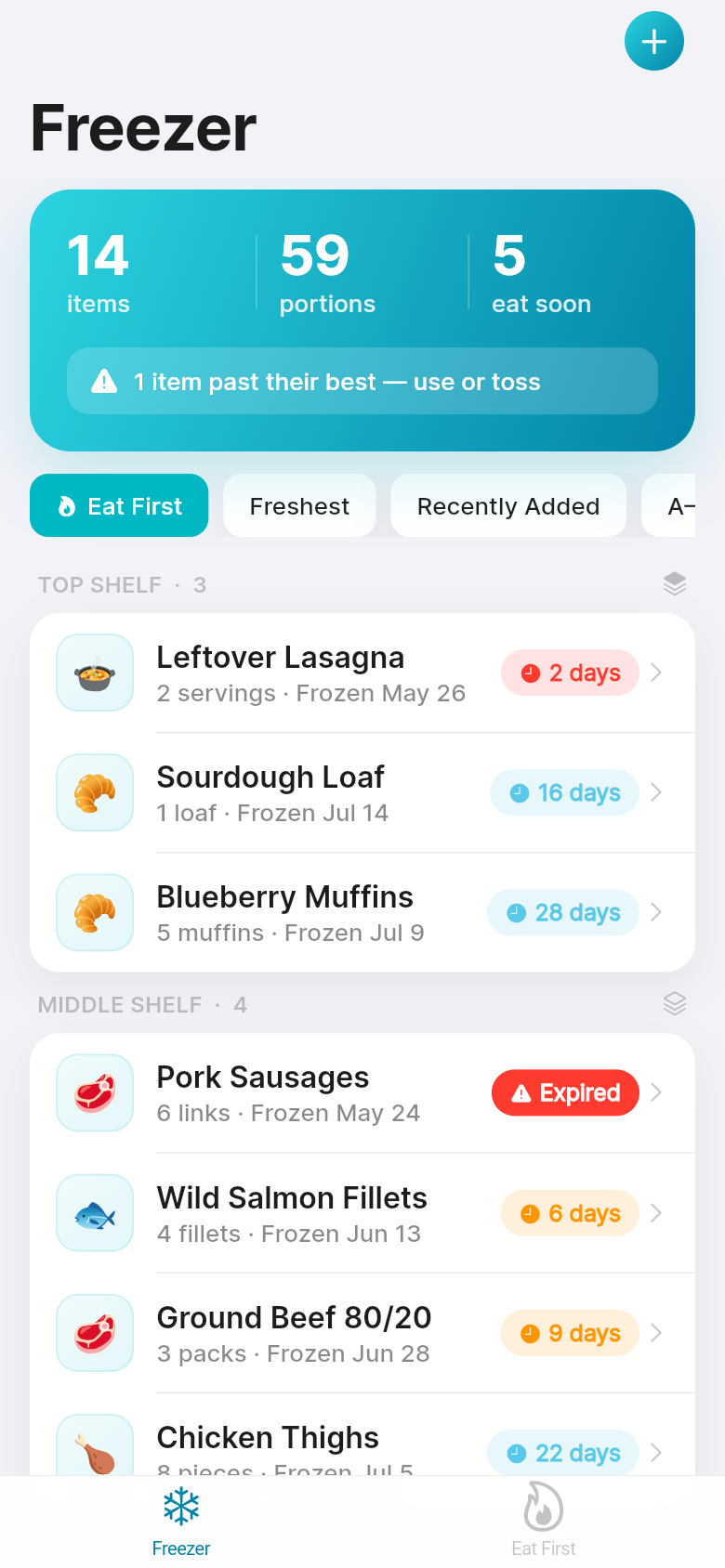
The problem isn't that you freeze too much food. It's that you forget what's in there. A bag of ground beef slides behind last month's soup, a batch of muffins gets buried under frozen vegetables, and three weeks later you're throwing out something you cooked specifically so you wouldn't have to cook it again.
Freezer Keeper is a small, focused app that solves exactly this. Open it and you see everything in your freezer, sorted so the oldest items come first. Add something new in under ten seconds. Group your shelves and drawers so chicken thighs don't get mixed up with homemade pasta. It's the kind of tool that gets out of your way and makes one part of your kitchen life noticeably easier.
Live demo
The eat-first problem most trackers ignore
Most people who try to track their freezer end up with a note on their phone: a list of items with no dates, no order, and no way to tell what's been sitting there longest. Notes don't tell you that the chicken you froze five weeks ago should be used before the batch you just added. They don't show you urgency. They're just a list.
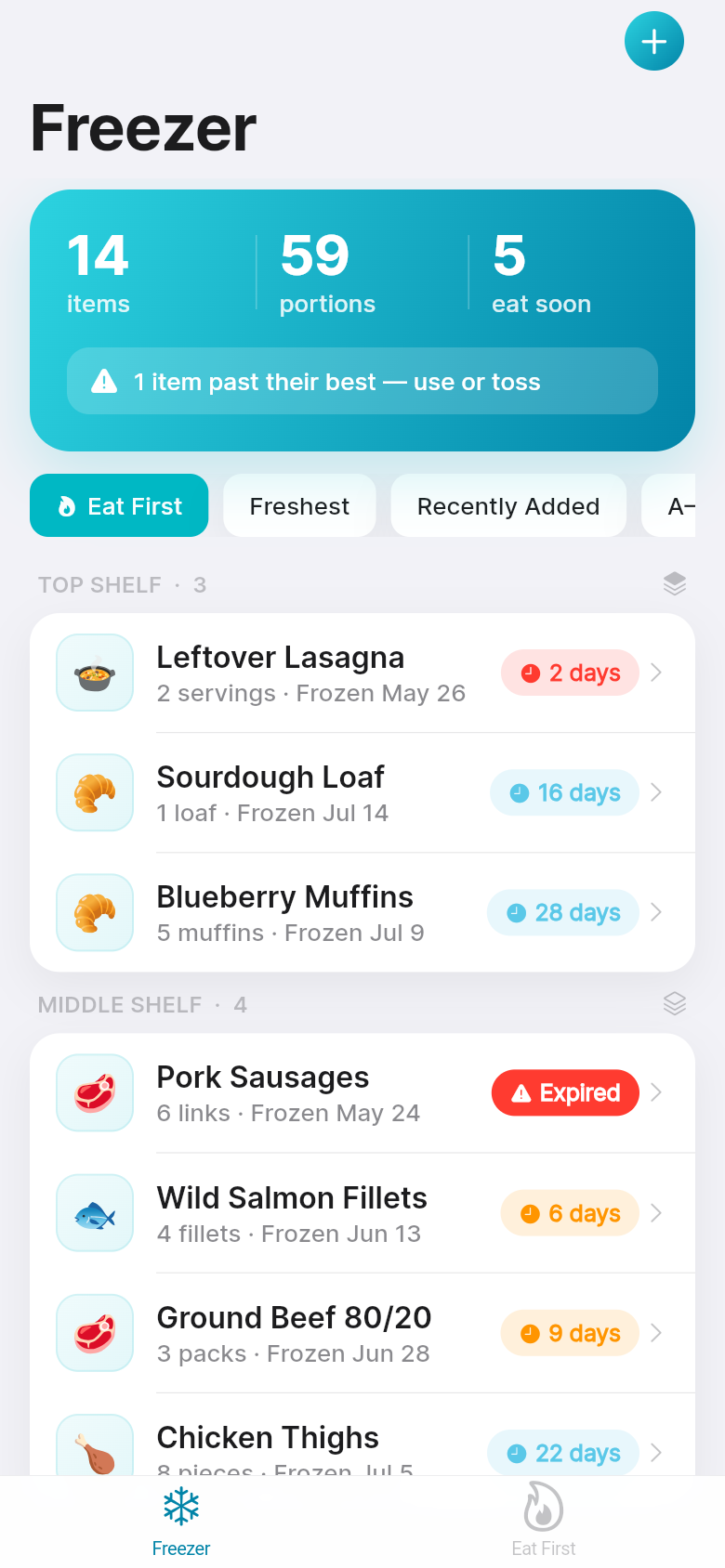
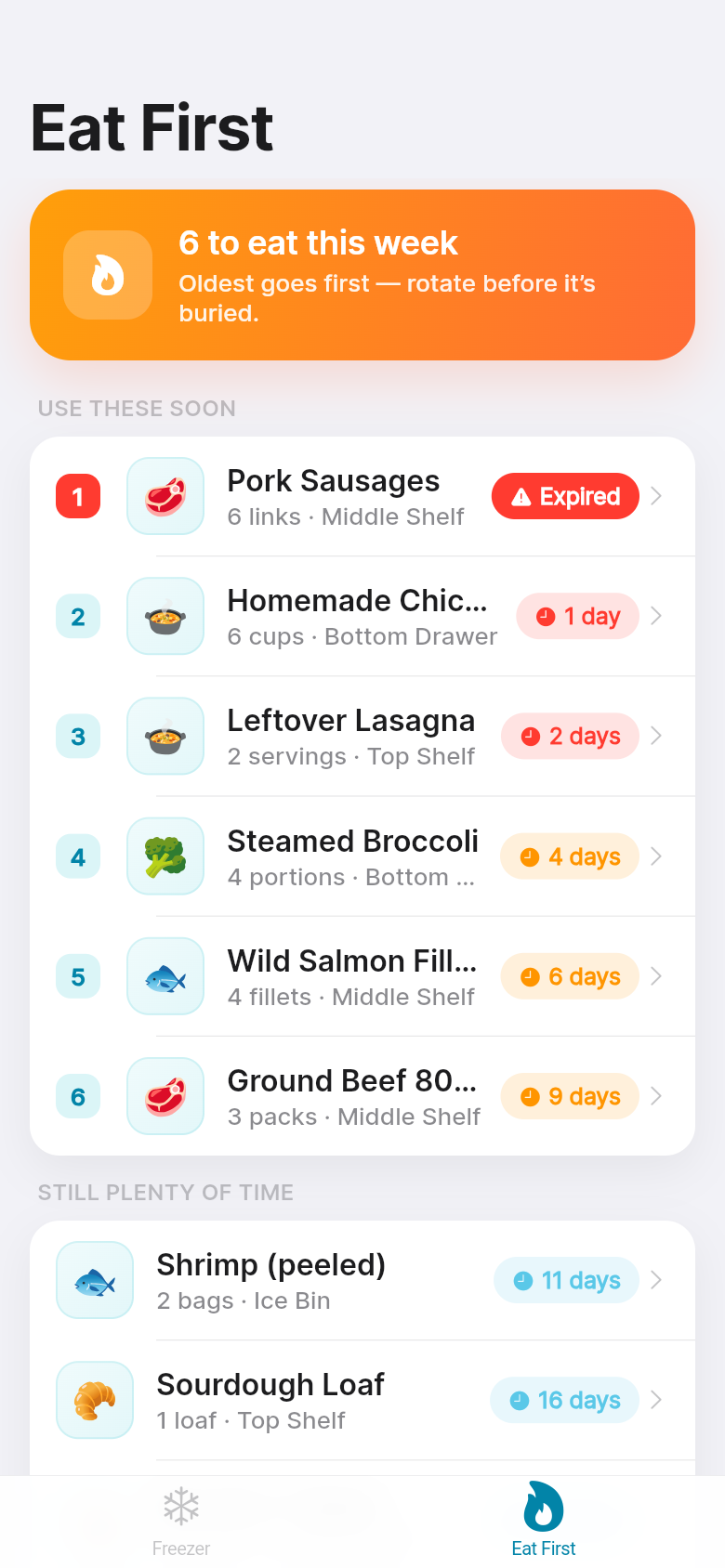
Freezer Keeper is built around a single principle borrowed from professional kitchens: First In, First Out. The items that have been frozen the longest sit at the top. Anything approaching its best-before date shows a colored urgency badge, so you don't have to do any mental math. You open the app, you see what to cook tonight, and you act on it. That's it.
The live demo embedded here shows this in action. Scroll through the list and notice how the older items surface naturally. The badges aren't alarming, but they're clear enough to shift your dinner plans.
Fast logging: the feature that makes the rest possible
Every tracking app lives or dies by how annoying it is to add something. If entering a new item takes more than thirty seconds, you'll stop doing it. Within a week the app is out of date, and within a month you've stopped opening it.
The add sheet in Freezer Keeper is a single modal that opens with one tap. You type the name, pick a portion size from a short list, set the freeze date (today by default), and optionally add a best-before. That's the whole form. Sensible defaults mean you're usually tapping two or three times, not filling out a spreadsheet.
Try it in the demo: tap the add button and see how quickly you can log something. The point is that logging should feel like less work than writing on a sticky note, so you'll actually do it every time you batch-cook.
Zones and drawers: keeping the freezer organized in your head
A chest freezer with four drawers and a chest full of zip-lock bags is its own organizational challenge. Proteins go somewhere, batch meals go somewhere else, fruit for smoothies is in a third spot. If your tracker treats everything as one flat list, you lose the spatial context that actually helps you remember where things are.
Freezer Keeper lets you group items by zone, whether that's a physical drawer, a shelf in an upright freezer, or just a category you find useful ("proteins", "soups", "baked goods"). When you're planning meals you can filter by zone and see exactly what's in each section. When you're standing in front of an open freezer, you know where to look.
The sample data loaded on first open shows a realistic mix across a few zones, so you can get a feel for how the grouping works before you start entering your own inventory. It makes the app feel lived-in from the first minute rather than presenting you with an empty state and a blinking cursor.
Who actually benefits from this
If you cook once a week and eat the same three meals, you probably don't need this. But if you batch-cook on Sundays, stock up on proteins when they're on sale, or regularly freeze half of what you make for later, the freezer quickly becomes an opaque black box. You know food is in there, but you're not sure what, and you're definitely not sure how long it's been there.
Budget-conscious households get the most direct benefit: food waste is money waste, and the app makes it harder to accidentally throw out something you paid for and cooked. Meal preppers get the reassurance that their Sunday effort won't go unnoticed. And anyone who's ever found a freezer-burned mystery bag at the back of the bottom drawer will recognize exactly what this is solving.
The urgency badges and eat-first sorting aren't features for people who are obsessively organized. They're for people who are busy and need the app to do the thinking for them. What should I use this week? Open Freezer Keeper. It tells you.
A tool built from one clear idea
Freezer Keeper started as a single sentence: track what's frozen and surface what to eat first. Everything in the app serves that idea. There's no meal planning, no grocery list, no barcode scanner, no social sharing. It does one job well, and that focus is what makes it useful.
The app you're looking at was built quickly from that core concept, and you can interact with a working version right here in the article. Log an item, browse by zone, check what needs to be used soon. It's a real app, and the thinking behind it is simple enough to explain in a paragraph, which is usually a good sign.
39
files in the build
40.1 MB
app bundle
Flutter Web
runs in any browser
Have a tool idea of your own?
Freezer Keeper started as one sentence describing a problem. If you have a small, specific thing you wish existed as an app, you can build it the same way. Describe what it should do and a working version comes back.