
strength training
Lift Ladder: See If You're Actually Getting Stronger
A focused strength tracker that plots your estimated 1RM week over week, so you finally know whether your training is working or just keeping you busy.
Artem
Founder
· 5 min read
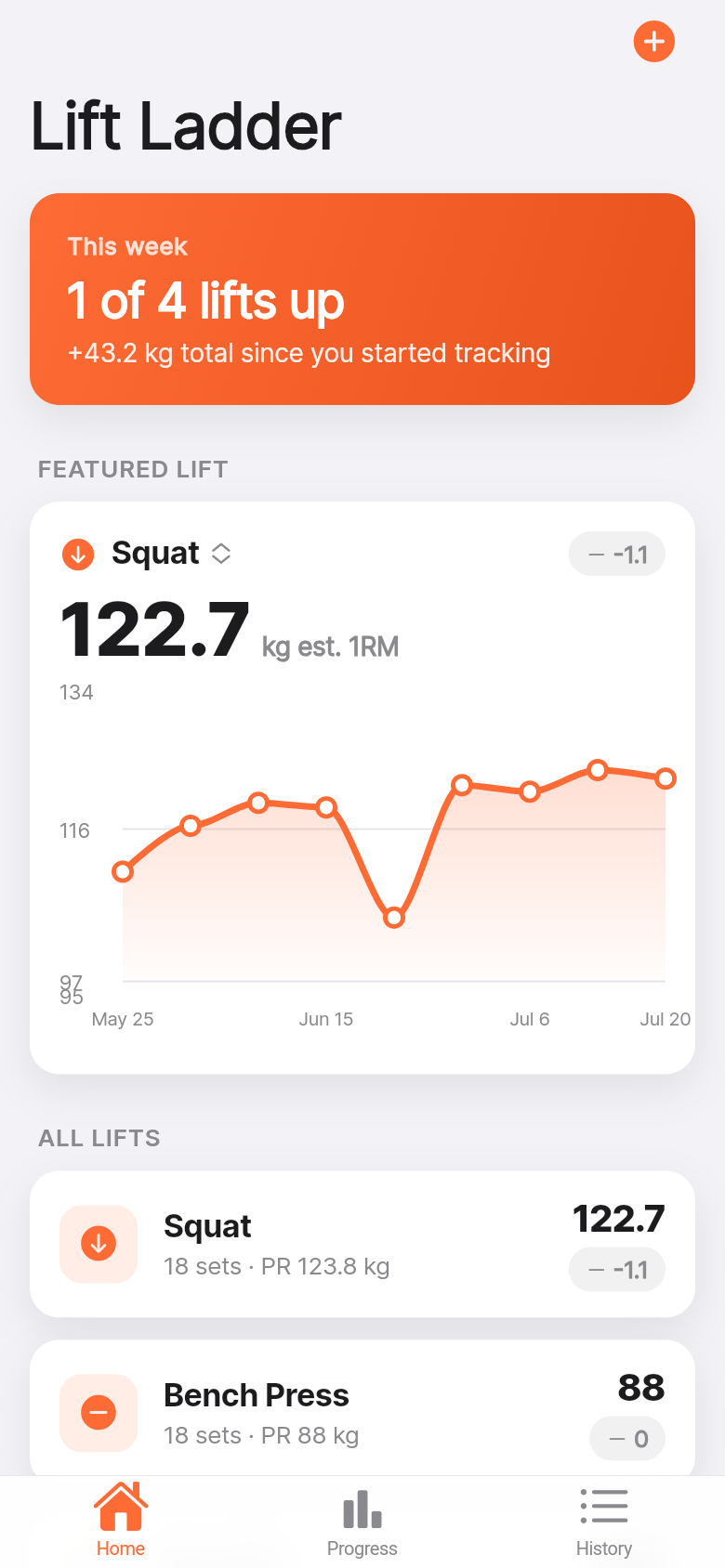
Most lifters are working harder than they think and progressing less than they hope. The problem isn't effort, it's clarity. Your squat numbers from six weeks ago are buried in a notes app, scrawled on the whiteboard you photographed once, or just gone. When someone asks if you're getting stronger, you give an approximate answer based on vibes.
Lift Ladder exists to answer that question with a line on a graph. Log a set, see your estimated 1RM update, come back next week and see whether the curve went up. That's the whole idea, and it turns out that's most of what you actually need.
Live demo
The problem with scattered set logs
Anyone running a structured program like 5x5, 5/3/1, or PPL has probably felt this: you finish a heavy set of squats, you know it felt hard, but you're not sure if it was *harder* than last time or if you're just tired today. Without a consistent place to track numbers, that comparison is impossible.
Spreadsheets help, but they require setup and don't travel well to the gym floor. General-purpose note apps work until you have six months of entries and need to scroll through everything to find your bench numbers from March. Dedicated program apps are great if you follow their prescribed templates, but if you run your own variation or switch programs often, they become friction.
What most lifters actually want is simpler: pick the lift, log the set, see a trend. Lift Ladder is built around exactly that workflow.
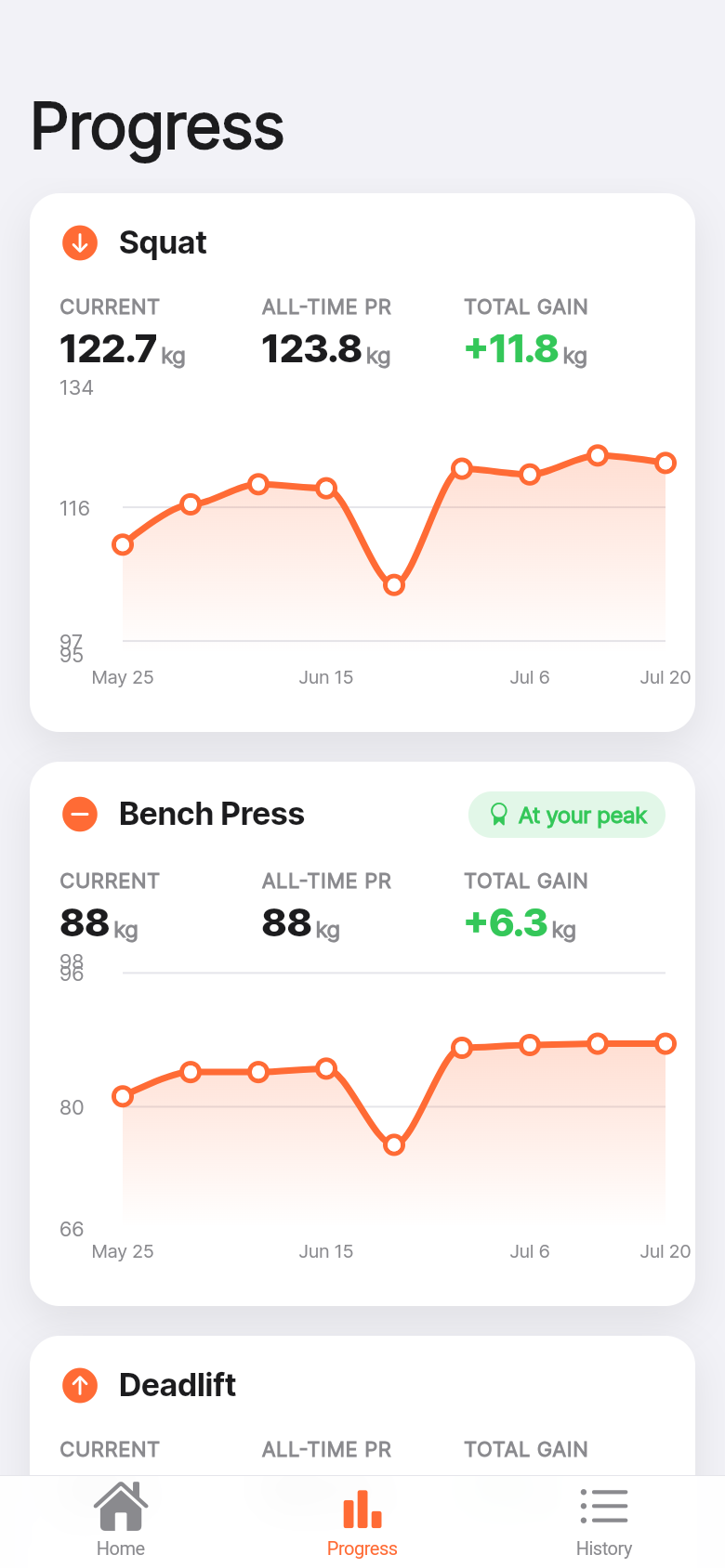
Log a set in seconds, see your curve instantly
The first thing you notice in the embedded demo above is that logging a set takes three taps: pick the lift from the four big ones (squat, bench, deadlift, overhead press), enter weight and reps, save. No account creation, no program selection, no setup screen.
The second thing you notice is what happens right after: your estimated 1RM for that lift updates on the spot, calculated via the Epley formula from the weight and reps you just logged. If you've logged before, the strength curve refreshes to include today's point. If this is your first entry, it starts the graph. Either way, you're never looking at an empty screen.
Try it in the live app: add a squat at whatever weight and reps you'd realistically hit, then add another entry a week later at a slightly higher number. Watch the curve. That visual confirmation, that the line moved, is the feedback loop that keeps consistent training interesting.
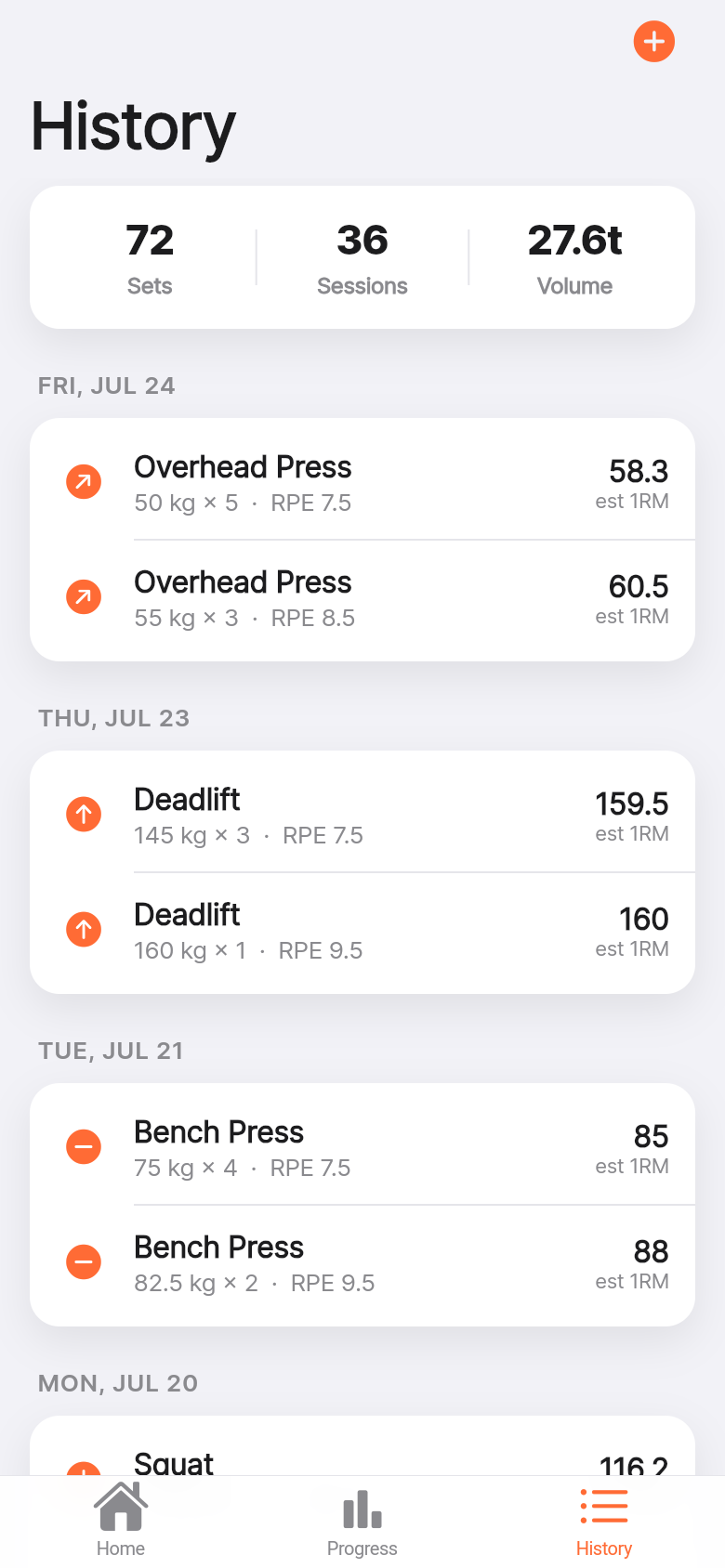
PRs, weekly deltas, and why they matter more than raw weight
Lift Ladder surfaces three numbers per lift: your all-time estimated 1RM PR, your total gain since you started logging, and the week-over-week delta. That last one is the most useful for intermediate lifters.
Beginners add weight every session. Intermediates add it every few weeks, sometimes every month. When you're grinding through a plateau, a weekly delta of +1 kg on your estimated 1RM is real progress, even if it doesn't feel like it. Having that number in front of you changes how you interpret a session. A tough workout that moved your estimated 1RM by 1.5% is a good workout, even if the bar felt heavy.
The per-lift breakdown means you can catch imbalances early. If your squat curve is climbing and your bench has been flat for a month, that's information. Maybe you're prioritizing leg days, maybe you need a technique check, maybe you just need more sleep. The app doesn't tell you what to do, but it shows you what's happening.
Offline, private, and built for the gym floor
Everything in Lift Ladder stays on your device. There's no account, no sync, no subscription. Your history is yours, stored locally, available when your gym has no signal and you're standing between a rack and a bench trying to remember if last Tuesday's deadlift was 180 or 185.
The interface follows Cupertino conventions closely: grouped cards, large titles, the kind of layout that feels native rather than styled. It's designed to be usable with one hand while you're catching your breath between sets. The font sizes are generous, the tap targets are large, and there's nothing on the screen you don't need.
For the live demo above, try the full flow: log a few sets across different lifts over a simulated span of weeks, then pull up the strength curve for each one. The graph is intentionally simple, a clean line showing estimated 1RM over time, because that's the number that matters for tracking strength development across different set and rep schemes.
Who this is for and what it's not
Lift Ladder is built for intermediate gym-goers who already know their program and just need to track whether it's working. If you're brand new to lifting and need guidance on what to do in the gym, this isn't a coaching app. If you need to track dozens of accessory exercises with volume, fatigue ratings, and RPE, there are more comprehensive options.
But if you're squatting, benching, deadlifting, and pressing on a repeating weekly structure and you want a fast, honest answer to the question 'am I getting stronger?', this is exactly the right tool. It fits in the gap between the notes app (too raw) and the full program tracker (too much setup) and it stays there without feature creep.
The idea started as a simple question and turned into a working app in a short time. That's the point of building this way: when the problem is clear and the solution is focused, you don't need months to ship something genuinely useful.
39
files in the build
39.9 MB
app bundle
Flutter Web
runs in any browser
Have a tool you wish existed?
Lift Ladder started as a one-line idea: a strength curve tracker that just works. If you have a problem you keep solving with notes apps and spreadsheets, you can turn it into a real app the same way.